
AdsCrawl vs Remote Browser vs Screenshot Machine (2026)
AdsCrawl vs Remote Browser vs Screenshot Machine: compare browser APIs, CDP sessions, screenshots, extraction, pricing, and pick the right tool.
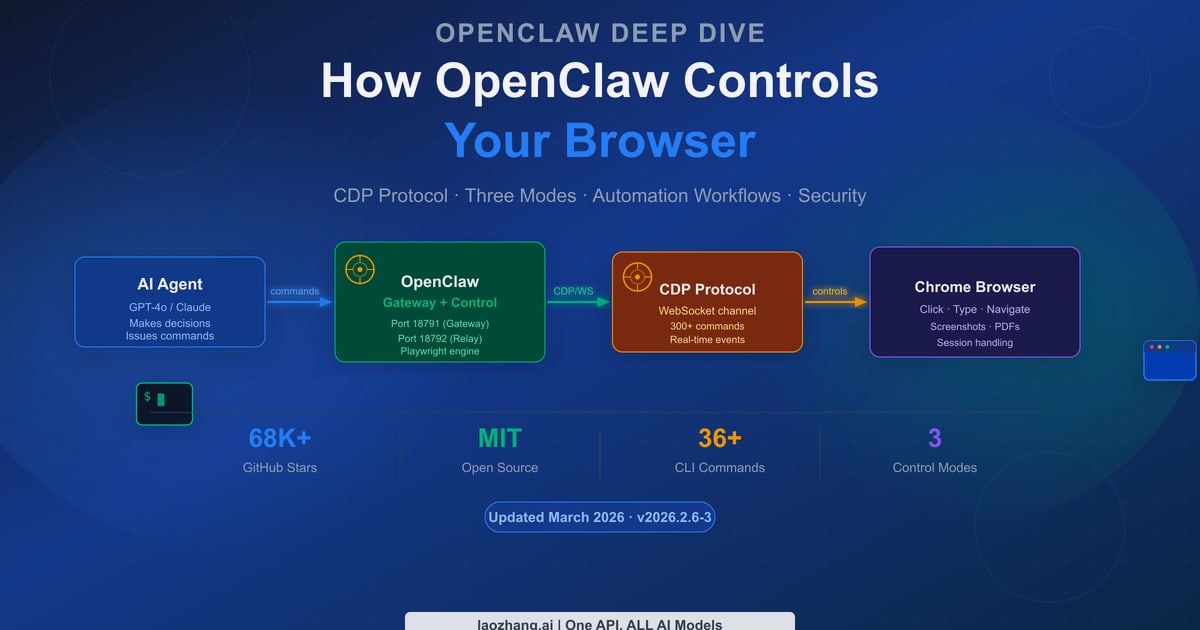
AdsCrawl vs Remote Browser vs Screenshot Machine
Choosing between AdsCrawl, Remote Browser, and Screenshot Machine usually comes down to one question: do you need a full browser session, a CDP endpoint for your own automation stack, or just a reliable screenshot endpoint? This comparison breaks down where each tool is strongest, where it falls short, and how to match the choice to your workload.
What each tool actually is
AdsCrawl
AdsCrawl is a browser automation and data extraction API platform. It exposes real browser capabilities through a unified API: you can capture screenshots, extract rendered HTML or Markdown, pull structured fields from dynamic pages, and control remote Chrome DevTools Protocol (CDP) sessions. It also offers cloud browser sessions with fingerprint profiles, concurrent browser execution, and credit-based usage with a freemium model. Typical use cases include AI agent workflows, monitoring, SEO, and repeatable web actions wrapped into reliable APIs.
Remote Browser
Remote Browser is a hosted Chromium runtime delivered as an API for AI agents and browser automation teams. Instead of launching a local headless browser, you create isolated cloud browser sessions and receive a CDP WebSocket URL that connects to Playwright, Puppeteer, Selenium, browser-use, Hermes, OpenClaw, Codex, Claude, and other agent or automation stacks. It handles stealth fingerprints, scale, session lifecycle, proxies, and the long tail of broken sites so agents can drive the web without running Chrome locally. Core capabilities include persistent browser profiles, live viewer URLs for human takeover and debugging, recording retention for replay and audit, proxy-ready egress with provider-managed regional routing or custom HTTP/SOCKS5 proxies, and authentication support including 2FA. Pricing is based on active browser-hours rather than seats, with a Free plan for prototyping a single agent, a Developer plan for active development and small production workloads, and one-time $4.90 top-ups that add 20 browser-hours without changing the subscription.
Screenshot Machine
Screenshot Machine is a REST-based screenshot API service that captures website screenshots and converts web pages to PDF. It is designed for developers and businesses that need reliable, automated website capture at scale. The service offers a free tier with 100 fresh screenshots per month and no credit card required, plus paid plans (Basic at 9 EUR/month for 2,500 screenshots, Pro at 59 EUR/month for 20,000 screenshots, and Enterprise at 99 EUR/month for 50,000 screenshots) with additional screenshots billed per 1,000. Core features include responsive device emulation (desktop, tablet, phone), full-page captures, custom error images, unlimited impressions from cache, unlimited traffic, and a 99.99% uptime SLA. The API is always online and provides code samples in common programming languages on GitHub for quick integration. The company behind the service is Devtica s.r.o., based in Slovakia.
Comparison at a glance
AdsCrawl vs Remote Browser vs Screenshot Machine (2026) - Comparison at a glance.
| Criterion | AdsCrawl | Remote Browser | Screenshot Machine |
|---|---|---|---|
| Primary model | Unified browser API + CDP | Hosted Chromium runtime with CDP WebSocket | REST screenshot and PDF API |
| Screenshots | Yes, via API | Yes, through your CDP automation | Yes, core product with device emulation |
| HTML / Markdown extraction | Yes, rendered HTML and Markdown modes | Not a built-in extraction endpoint | Not a core feature |
| Structured field extraction | Yes, via SPA extract | Not a built-in endpoint | Not a core feature |
| CDP session control | Yes | Yes, this is the core primitive | No |
| Cloud browser with profiles | Yes | Yes, with persistent profiles | No |
| Live viewer for debugging | Yes, Cloud Browser viewer | Yes, live viewer URLs | No |
| Proxy routing | Yes, including residential routing | Yes, provider-managed or custom proxies | Not a core feature |
| Pricing model | Credit-based with freemium | Active browser-hours with free tier and top-ups | Monthly plans per screenshot volume |
| Best fit | Mixed extraction, screenshots, and CDP workflows | Teams that already have a Playwright/Puppeteer stack | High-volume screenshot and PDF capture |
Where AdsCrawl has a supported advantage
One API for screenshots, HTML, Markdown, and structured data
Screenshot Machine is focused on image and PDF output. Remote Browser gives you a browser and leaves extraction to your code. AdsCrawl sits in the middle: the same platform can return a rendered screenshot, rendered HTML, Markdown for readable text, or structured fields from a dynamic page. If your pipeline needs more than one output type, this reduces the number of vendors and integration surfaces you maintain.
A minimal HTML request looks like this:
curl --fail-with-body -sS \
  -X POST "https://api.adscrawl.net/html" \
  -H "x-api-key: $ADSCRAWL_API_KEY" \
  -H "content-type: application/json" \
  -d '{
    "url": "https://www.adscrawl.net",
    "contentMode": "html",
    "waitUntil": "domcontentloaded"
  }' \
  --output page.html
Switch contentMode to markdown when you want readable text instead of markup. For field-level extraction, POST /spa-extract with mode set to extract lets you define DOM fields with CSS selectors and network fields from matching JSON responses, and the response reports missingFields so you can see what was not found.
CDP control plus a managed cloud browser
AdsCrawl supports remote CDP sessions for scripted interaction and a Cloud Browser mode that saves the browser profile and includes a live viewer while running. That combination is useful when you want to debug a session visually, then reuse the saved profile on the next run. Remote Browser also offers CDP and live viewers, so this is not a unique advantage over Remote Browser — but it is a clear difference from Screenshot Machine, which does not expose browser control.
Freemium entry with credit-based usage
AdsCrawl uses credit-based usage with a freemium model, which makes it easy to test screenshot, HTML, and extraction endpoints before committing. Remote Browser's browser-hour model and Screenshot Machine's per-screenshot plans are both reasonable, but AdsCrawl's structure fits teams that want to try several output types under one account.
Where Remote Browser has a supported advantage
AdsCrawl vs Remote Browser vs Screenshot Machine (2026) - Where Remote Browser has a supported advantage.
Remote Browser is built around a single idea: the browser, served as an API. If your team already writes Playwright, Puppeteer, Selenium, or agent code, you may not want a platform that also handles extraction. You want a CDP WebSocket URL and a runtime that stays out of your way.
Its strengths are clear:
- Persistent browser profiles so sessions can carry state across runs.
- Live viewer URLs for human takeover and debugging.
- Recording retention for replay and audit.
- Proxy-ready egress with provider-managed regional routing or custom HTTP/SOCKS5 proxies.
- Authentication support including 2FA, which matters for authorized workflows on signed-in pages.
- Browser-hour pricing rather than seats, with a Free plan for prototyping a single agent and $4.90 top-ups that add 20 browser-hours.
If your team's core competency is browser automation and you only need a hosted Chromium runtime, Remote Browser is a strong fit. AdsCrawl can also serve this role through CDP sessions and Cloud Browser, but Remote Browser's product is narrower and more explicitly centered on the runtime layer.
Where Screenshot Machine has a supported advantage
Screenshot Machine is a focused screenshot and PDF API, and it is good at that job. Its strengths are straightforward:
- Predictable monthly pricing per screenshot volume: Basic at 9 EUR/month for 2,500 screenshots, Pro at 59 EUR/month for 20,000 screenshots, and Enterprise at 99 EUR/month for 50,000 screenshots, with additional screenshots billed per 1,000.
- A free tier with 100 fresh screenshots per month and no credit card required.
- Responsive device emulation for desktop, tablet, and phone captures.
- Full-page captures and custom error images.
- Unlimited impressions from cache and unlimited traffic.
- A 99.99% uptime SLA and an always-online API.
- Code samples in common programming languages on GitHub for quick integration.
The company behind the service is Devtica s.r.o., based in Slovakia. For teams whose only requirement is high-volume screenshot and PDF capture with a simple REST call, Screenshot Machine's pricing and SLA are compelling. It does not aim to be a browser automation platform, so comparing it to AdsCrawl or Remote Browser on CDP control or extraction would be unfair.
How to choose
Use this decision path:
- If you only need screenshots or PDFs at predictable volume, Screenshot Machine is a natural fit. Its per-screenshot plans and uptime SLA are built for that workload.
- If you already have a Playwright, Puppeteer, or agent stack and only need a hosted Chromium runtime, Remote Browser gives you a CDP WebSocket URL, persistent profiles, live viewers, and browser-hour pricing.
- If you need screenshots, rendered HTML, Markdown, structured extraction, and CDP control under one API, AdsCrawl covers all of those outputs with a credit-based freemium model.
A common pattern is to start with a screenshot API for simple visual capture, then move to a browser API when you need rendered content or interaction. If you expect to need extraction later, starting with a platform that already supports HTML and Markdown can save a migration. For a closer look at how AdsCrawl compares with a proxy-based scraping API, see AdsCrawl vs ScraperAPI: Browser API or Scraping API in 2026?. If your workflow depends on search data, Top 10 Search Engine Results Scraping APIs 2026 covers the SERP side in more detail.
Practical examples
Screenshot a page and save the PNG
With AdsCrawl, POST /screenshot returns a PNG. Set fullPage for the entire page, or pass a selector to capture the first matching element. Save the response as a binary file.
Extract structured fields from a dynamic page
Call POST /spa-extract with mode set to extract, then define the fields you need. DOM fields use CSS selectors, while network fields can read matching JSON responses. Check missingFields in the response to see what was not found.
Connect Playwright to a remote browser
Create a CDP session and connect Playwright using the returned webSocketDebuggerUrl. This is the same pattern Remote Browser uses with its CDP WebSocket URL, and it is the right approach when you need to navigate, click, fill out forms, and collect results in one session.
Reuse a saved browser profile
AdsCrawl's Cloud Browser saves the browser profile and includes a live viewer while it is running. Stop the session when you are done; the profile is ready for your next run. Closing the viewer does not stop the session, so call the stop endpoint and confirm that runtime.status is stopped.
Related reading
- BrowserCloud Review 2026: Cloud Browser Automation at Scale - Hands-on BrowserCloud review: stealth browsing, CAPTCHA solving, 100M+ residential IPs, pricing, setup, and who should use it in 2026.
- Google Maps API: A Practical Developer's Guide for 2026 - Learn how the Google Maps API works: JavaScript API vs web services, API keys, pricing, code examples, and how to test rendered map pages reliably.
Sources and further reading
- AdsCrawl | Browser Automation and Web Data API - Connect with Playwright, Puppeteer, or CDP in a full browser environment with residential proxy routing for dynamic pages, authenticated sessions, and structured web data.
- Screenshot API vs Browser Automation: Which One to Choose? - Need to capture website screenshots programmatically? Whether you're building link preview images, automating QA, monitoring content, or archiving webpages,...
- Reliable Screenshot API | Screenshot Machine - Free and reliable screenshot api for website capture.
FAQ
Can AdsCrawl handle JavaScript-rendered pages?
Yes. AdsCrawl renders the page in a browser before returning the result. Where supported, set waitUntil or wait for a selector so the content you need has time to load.
Can I get Markdown instead of HTML from AdsCrawl?
Yes. Set contentMode to markdown on POST /html for clean, readable content. Use html for rendered markup or json for a structured version of the article.
Does Remote Browser replace my Playwright code?
No. Remote Browser gives you a CDP WebSocket URL that connects to Playwright, Puppeteer, Selenium, browser-use, Hermes, OpenClaw, Codex, Claude, and other stacks. Your automation code stays; only the browser runtime moves to the cloud.
Is Screenshot Machine only for screenshots?
Its core product is screenshot capture and web page to PDF conversion, with responsive device emulation and full-page captures. It does not expose CDP sessions or structured extraction endpoints.
How does pricing compare?
AdsCrawl uses credit-based usage with a freemium model. Remote Browser charges by active browser-hours with a Free plan and $4.90 top-ups that add 20 browser-hours. Screenshot Machine uses monthly plans: Basic at 9 EUR/month for 2,500 screenshots, Pro at 59 EUR/month for 20,000 screenshots, and Enterprise at 99 EUR/month for 50,000 screenshots.
Can I use my own proxy?
AdsCrawl APIs that support proxies accept a custom configuration, and every Cloud Browser launch request must include a valid proxy. Remote Browser supports provider-managed regional routing or custom HTTP/SOCKS5 proxies. Screenshot Machine does not list proxy configuration as a core feature.
Conclusion
AdsCrawl, Remote Browser, and Screenshot Machine solve different parts of the same problem. Screenshot Machine is a dependable, well-priced screenshot and PDF API with a strong uptime SLA. Remote Browser is a focused hosted Chromium runtime for teams that already have automation code and want a CDP endpoint with persistent profiles, live viewers, and browser-hour pricing. AdsCrawl is the broader option: screenshots, rendered HTML, Markdown, structured extraction, CDP sessions, and cloud browser profiles under one credit-based API. Match the tool to the output you actually need, and you will avoid both overbuilding and outgrowing your first choice.
For a broader view of how browser APIs compare with proxy-based scraping platforms, see AdsCrawl vs ScraperAPI: Browser API or Scraping API in 2026? and AdsCrawl vs Kernel: Browser API Comparison for 2026.