
Scrapfly Login: Web Scraping, Cloud Browser & Screenshot API
Learn how to log into Scrapfly to access your Web Scraping, Cloud Browser, and Screenshot API keys. Quick setup guide & alternative AdsCrawl platform.
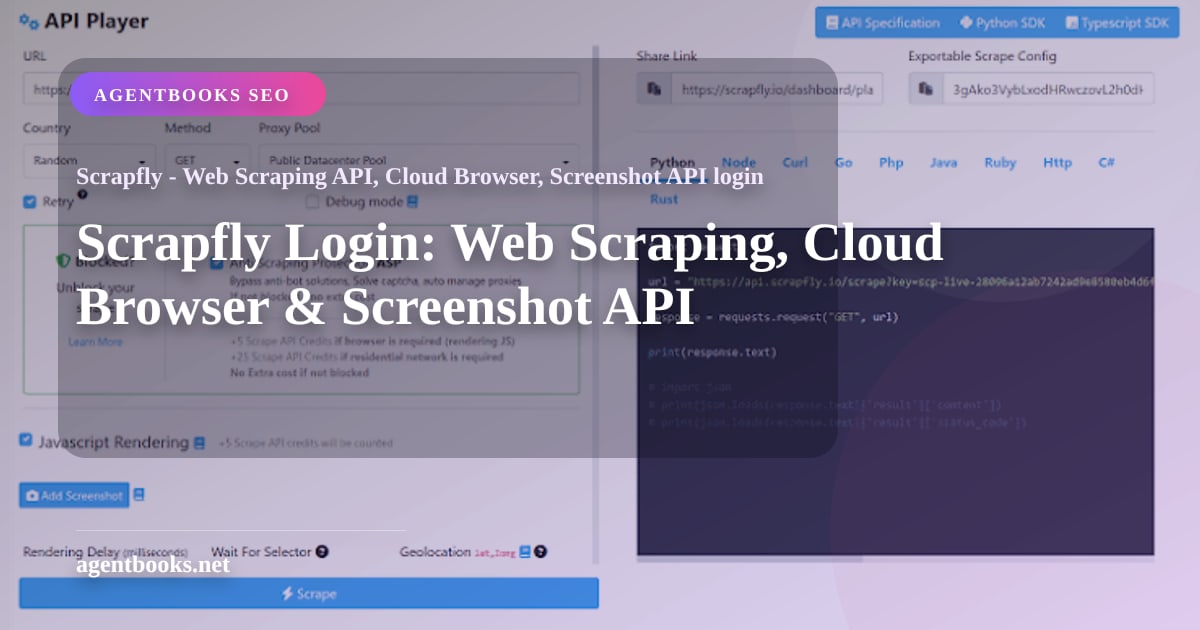
Scrapfly Login: Web Scraping, Cloud Browser & Screenshot API
Scrapfly gives developers a unified platform for web scraping, browser automation, and screenshot capture through a single API key. Before you can send your first request to the Web Scraping API, drive a remote Chromium session, or capture a full-page screenshot, you need to log into your Scrapfly account and retrieve that key. This guide walks through the login process, shows how to access your dashboard, and introduces an alternative platform that puts real browser sessions and fingerprint customization front and center.
What You Need to Log Into Scrapfly
Scrapfly Login: Web Scraping, Cloud Browser & Screenshot API product interface and feature overview.
Logging in is straightforward, but a few details ensure a smooth start.
Creating a Scrapfly Account
If you don’t have an account yet, head to the Scrapfly sign-up page. You can register with an email address and password, or use a Google or GitHub OAuth option. After verification, you’ll land on the dashboard where a trial with 1,000 free credits is automatically assigned—no credit card required.
Accessing the Login Page
Returning users can open Scrapfly’s login page and enter their credentials. If you’ve forgotten your password, the “Forgot password” link triggers a reset email. For organizations using SAML‑based single sign-on (SSO), Scrapfly supports custom authentication flows—contact their support to enable it.
Navigating the Dashboard After Login
The dashboard immediately surfaces your API key at the top. From here you can manage projects, monitor credit usage, and view real‑time telemetry like pass rate and request latency. The dashboard also lets you create separate API keys per project, set spending limits, and inspect request logs, which is critical for debugging failed scrapes.
Using Your API Key for Web Scraping, Cloud Browser, and Screenshots

Scrapfly Login: Web Scraping, Cloud Browser & Screenshot API product interface and feature overview.
Once logged in, your key unlocks all three primary APIs. The Web Scraping API (/scrape) fetches rendered HTML with anti‑bot bypass and optional structured extraction. The Cloud Browser connects you to a stealth Chromium instance over CDP (WebSocket), compatible with Playwright and Puppeteer. The Screenshot API captures full‑page or viewport images via a simple GET request.
A typical first call after copying your key looks like this:
curl "https://api.scrapfly.io/screenshot?url=https%3A%2F%2Fexample.com&key=YOUR_API_KEY" --output screenshot.png
This fetches a pixel‑perfect screenshot while the platform silently handles proxy rotation, fingerprint spoofing, and ad blocking—all billable on a per‑success basis. For a full breakdown of all endpoints and response formats, refer to our Scrapfly Web Scraping, Cloud Browser & Screenshot API guide.
An Alternative: AdsCrawl for Anti-Detect Browser Automation
Scrapfly Login: Web Scraping, Cloud Browser & Screenshot API product interface and feature overview.
While Scrapfly provides a powerful, all‑in‑one key, some teams need a platform that treats browser fingerprinting and real session control as a first‑class feature. AdsCrawl’s anti-detect browser API follows the same “login, get a key, make a request” model but with a sharper focus on browser fingerprints. Once you sign up and log into your AdsCrawl account, you can immediately create sessions with custom user agents, timezones, WebGL fingerprints, and even integrate with AdsPower profiles. Screenshots, HTML extraction, and Markdown output come standard, and the free tier lets you test without entering a credit card.
For a detailed breakdown of how these two platforms differ in login experience, pricing, and success rates, see our AdsCrawl vs Scrapfly comparison.
Related reading
- AdsCrawl Fingerprint Settings: Anti-Detect Profile Guide - Master AdsCrawl fingerprint settings with our step-by-step guide. Configure user agent, timezone, WebGL, and more via AdsPower integration for undetectable browser automation.
- Scrapfly Download: Web Scraping API, Cloud Browser & Screenshots - Learn to use Scrapfly's Web Scraping API, Cloud Browser, and Screenshot API for anti-bot bypass and data collection. Includes download steps and alternative AdsCrawl for browser automation.
Sources and further reading
- Scrapfly - Web Scraping API, Cloud Browser, Screenshot API - Power web scrapers and AI agents with Scrapfly's web data platform. One API key for anti-bot bypass, stealth Chromium over CDP, residential proxies, screenshots, and structured extraction.
FAQ
I forgot my Scrapfly password. How do I reset it?
Click the “Forgot password” link on the login page, enter your account email, and follow the instructions sent to your inbox. If you used a social login, you won’t have a Scrapfly-specific password—just re‑authenticate via Google or GitHub.
Can I have multiple API keys in one Scrapfly account?
Yes. From the dashboard, create separate projects and assign a unique API key to each. This is useful for isolating billing, concurrency limits, and request logs among different applications or teams.
Is the Scrapfly login process the same for the Screenshot API and Cloud Browser?
Absolutely. Once you log in, the same API key works across all products. There’s no per‑service login requirement.
Does AdsCrawl offer a similar dashboard experience?
Yes. After you log into AdsCrawl, you’ll land on a developer‑oriented dashboard with API key management, usage stats, session logs, and direct access to fingerprint settings. The signup is quick, and the free tier is generous enough for initial testing.
Conclusion
Logging into Scrapfly is the gateway to a mature scraping platform with anti‑bot bypass, browser automation, and screenshot capture all tied to a single key. The process is simple—register, verify, copy your key, and you’re ready to scrape. For projects that demand deeper control over browser fingerprints or require integration with existing anti‑detect workflows, platforms like AdsCrawl offer an alternative login experience with comparable ease. Explore both, and choose the right fit for your data pipeline. For more in‑depth walkthroughs and head‑to‑head comparisons, browse our library on AdsCrawl.