
axiom.ai Review: No-Code Browser Automation That Actually Works?
In-depth axiom.ai review: test its no-code, code, and AI bot builder, cloud vs local run, pricing signals, and real use cases. See if it fits your workflow.
axiom.ai Review: No-Code Browser Automation That Actually Works?
axiom.ai enters a crowded market with a bold promise: let anyone automate browser tasks, whether they prefer clicking through a visual builder, writing code, or simply describing what they want to an AI. With over 300,000 users and backing from Y Combinator, the platform has clearly struck a chord. But does it hold up under real workloads, and who should actually use it? This evidence-based review breaks down the ideal user, core strengths, limitations, pricing signals, and how axiom stacks up against alternative approaches.
Who Is axiom.ai For?
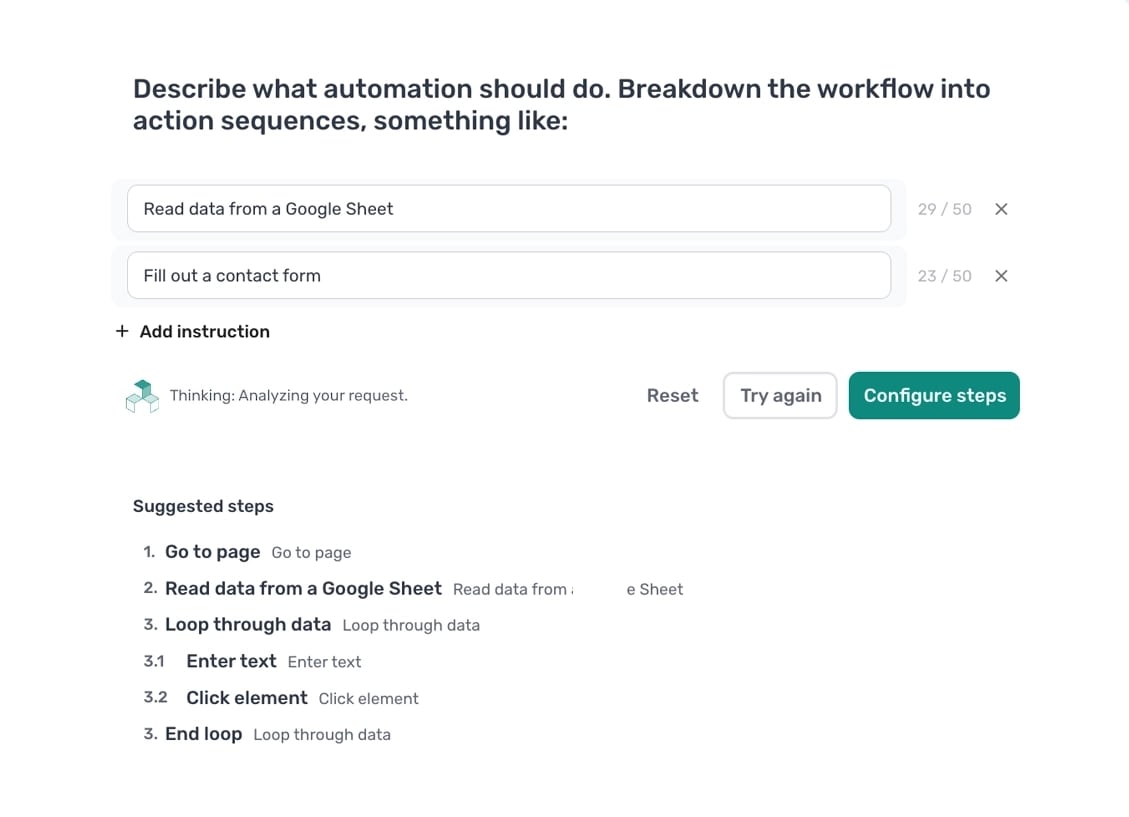
Describe the bot you wish to build to the AI and it will make it - axiom.ai.
axiom.ai targets a surprisingly wide spectrum, but it shines brightest for three specific profiles:
- Non-technical operators and analysts who live in spreadsheets and web apps. They need to scrape listings, fill repetitive forms, or move data between platforms without waiting for engineering help.
- Technical builders who want speed. Developers comfortable with Puppeteer or Playwright can use axiom’s cloud browser infrastructure and step library to skip boilerplate and focus on business logic.
- Automation-curious teams experimenting with AI-driven bot creation. The Claude integration lowers the barrier to entry dramatically—describe a workflow in plain English and get a working automation skeleton.
If you fall outside these groups—say, you need enterprise-grade anti-detection for sensitive scraping at scale—you may want to compare axiom against dedicated API-first platforms. Our AdsCrawl vs Axiom.ai showdown details where each tool fits.
Core Use Cases: What Can You Actually Build?
axiom’s bot library and user stories reveal five dominant patterns:
1. Web Scraping Without Code
The visual step builder lets you point at page elements and extract text, links, images, or tables. Axiom then pipes the results into Google Sheets, Excel, or a webhook. This covers job board aggregation, price monitoring, and lead list building without touching a selector.
2. Form Filling and Data Entry
Loop through CSV rows and submit each one into a web form. Teams use this for CRM data migration, invoice submission, and bulk account registration. The platform handles pagination, dropdowns, and file uploads through prebuilt steps.
3. Scheduled Monitoring and Alerts
Set a bot to check a page on a schedule, evaluate a condition (e.g., stock status change, price drop), and send an alert via email, Slack, or Zapier. This replaces manual refresh-and-check workflows.
4. Multi-Step Reporting Workflows
Pull analytics from multiple dashboards, consolidate the data, format it, and email a report. Axiom’s branching logic and integrations with ChatGPT or Gemini let you enrich or summarize data mid-flow.
5. AI-Generated Automations
Describe a task like “find every product on this category page, extract the name and price, and write them to a Google Sheet.” Claude generates the steps. You can tweak the result in the visual builder or export it to code. This is still maturing but already useful for prototyping.
Three Ways to Build: No-Code, Code, Claude
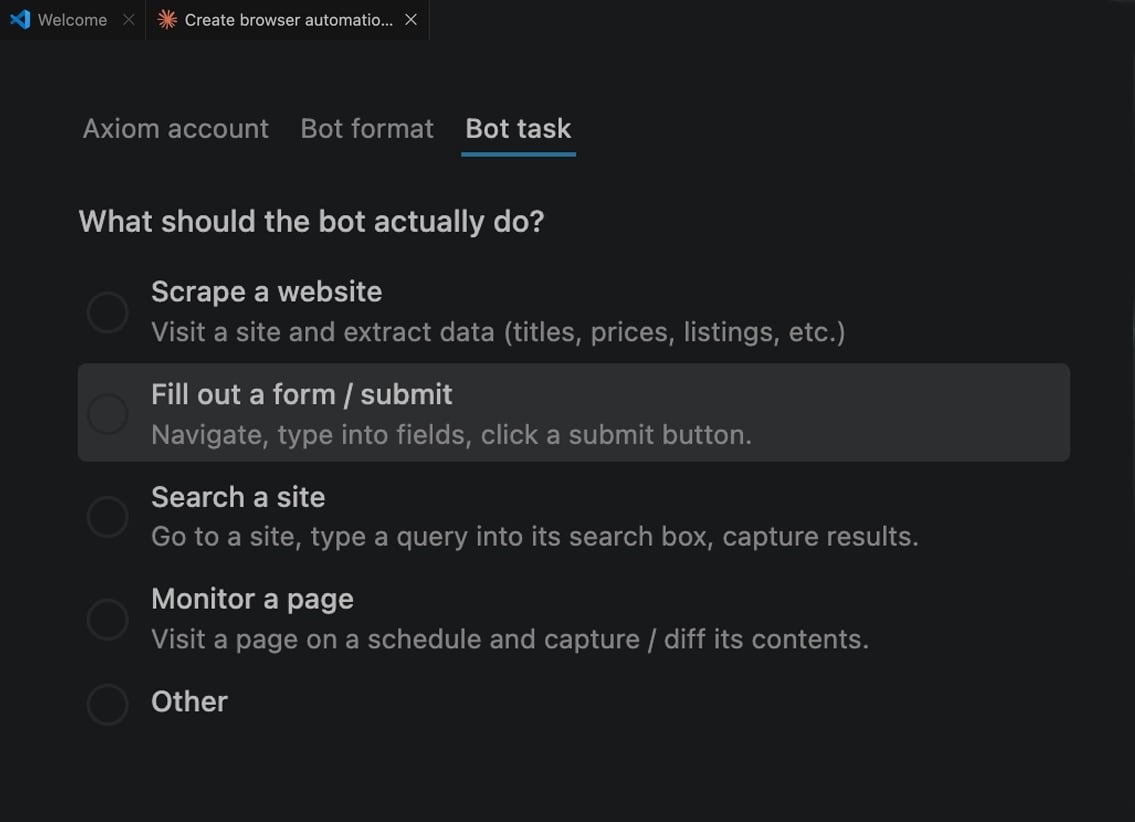
Create and runs browser automations in axiom using claude code.
axiom’s multi-modal builder is its defining feature. Here’s how each path performs in practice:
No-Code Chrome Extension
The visual step builder works as a Chrome extension. You record actions or manually assemble steps from a library that covers clicks, inputs, extractions, loops, conditionals, and integrations. The learning curve is gentle—most users build a working scraper within an hour. The trade-off: complex logic with nested conditions can become hard to debug visually.
Code-First with the SDK
Developers get a WebSocket-based Chrome API that exposes a cloud browser controllable via Puppeteer, Playwright, or any CDP-speaking client. A higher-level Step API wraps common actions in Node.js. You bring your own scripts; axiom handles browser provisioning, proxies, CAPTCHAs, and scheduling. This hybrid model—your code, their infrastructure—suits teams that want control without managing browser fleets.
Build by Description with Claude
The newest addition: install the axiom skill in Claude Code, describe a workflow, and Claude generates a bot configuration you can import. It’s fast for simple tasks but may require manual correction for edge cases. Think of it as an accelerator, not a replacement for understanding the underlying steps.
Cloud vs. Local Run: Where Do Your Bots Live?
axiom offers two execution environments, and the choice matters for cost, privacy, and reliability:
| Environment | Best For | Limitations |
|---|---|---|
| Cloud | Scheduled runs, concurrency, bot bypassing, hands-off execution | Consumes runtime credits; data passes through axiom’s infrastructure |
| Local (Desktop App) | Privacy-sensitive data, unlimited runs, no concurrency limits | Ties up your machine; no built-in proxy rotation or CAPTCHA solving |
For production workflows that need to run while your laptop is closed, cloud is the practical choice. For scraping internal tools or handling sensitive data, local execution keeps everything on your machine.
Integrations: Connecting axiom to Your Stack
axiom plugs into the broader automation ecosystem through:
- Native steps for Google Sheets, Microsoft Excel, ChatGPT, Gemini, DeepSeek, and 2Captcha.
- Webhooks for custom HTTP callbacks.
- Zapier, Make, and n8n connectors that trigger bots or consume their output.
This means you can build a pipeline where axiom scrapes a site, ChatGPT enriches the data, and Zapier pushes it into a CRM—all without middleware code.
Strengths: Where axiom.ai Excels
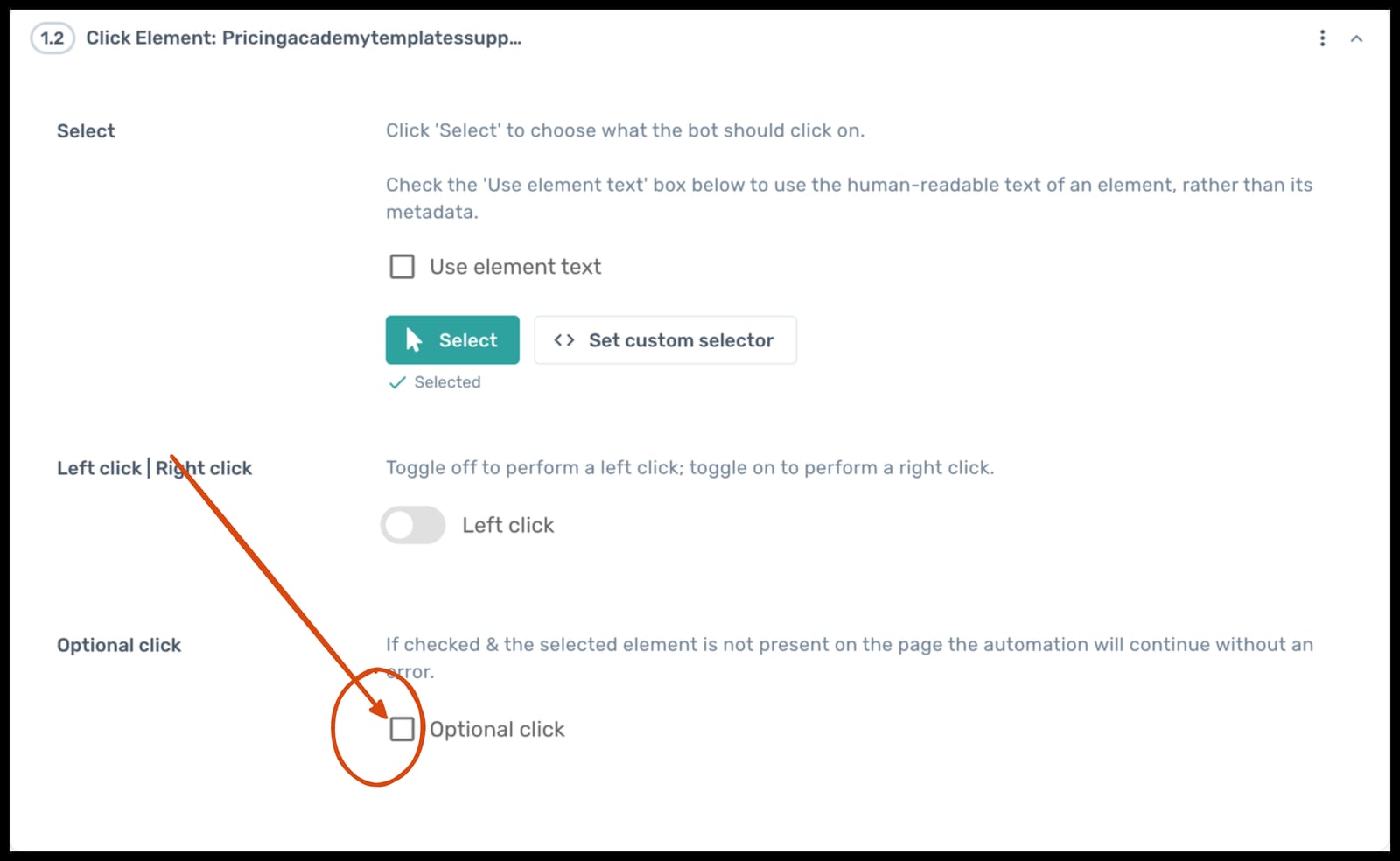
Instead of throwing an error, axiom will click the element if present, and continue if not..
- Genuinely accessible no-code builder. The step library abstracts away selectors, waits, and retries better than most competitors.
- Flexible build modes. Switching between visual, code, and AI-assisted building within one platform reduces tool sprawl.
- Cloud infrastructure included. Scheduling, proxy management, and CAPTCHA solving come out of the box.
- Strong integration surface. Google Sheets, Excel, webhooks, and major iPaaS platforms cover the most common automation endpoints.
- Active development pace. The Claude integration and Code Dashboard beta signal a team iterating quickly on AI-assisted automation.
Limitations: Where axiom Falls Short
- Pricing opacity. axiom does not publish transparent per-credit or per-hour pricing on its marketing site. You need to start a trial or contact sales to understand costs at scale. For budget-conscious teams, this is a friction point.
- Anti-detection depth. While axiom offers bot bypassing, it is not a dedicated anti-detect platform. For large-scale scraping of aggressively protected sites, a specialized solution like AdsCrawl’s anti-detect cloud browsers may be more robust.
- Visual builder complexity ceiling. Simple linear workflows are easy; deeply nested conditional logic or error handling can become unwieldy without switching to code.
- No on-premise cloud option. You run on axiom’s cloud or your desktop. Teams with strict VPC or private cloud requirements lack a middle ground.
Pricing Signals: What to Expect
axiom offers a free tier with 2 hours of runtime to start. Beyond that, pricing follows a usage-based model tied to cloud runtime minutes. While exact figures aren’t public, community reports and trial experiences suggest:
- Plans scale from individual creators to team and enterprise tiers.
- Cloud runtime is the primary cost driver; local runs are unlimited.
- Higher-tier plans unlock concurrency, longer schedules, and priority support.
If your workload involves heavy cloud execution, calculate your expected monthly runtime before committing. For comparison, API-first platforms like those covered in our top browser automation platforms guide often publish per-request pricing, which can simplify cost modeling.
Setup: From Zero to First Bot
Getting started follows a straightforward path:
- Install the Chrome extension from the Chrome Web Store.
- Create a free account (2 hours of cloud runtime included).
- Open the extension on a target page and either record actions or use “Build by description” to let AI assemble steps.
- Configure output—typically a Google Sheet, webhook, or direct download.
- Test, then schedule or run on demand.
For code-first users, the Playwright review offers context on how axiom’s CDP endpoint compares to running Playwright on your own infrastructure. The key difference: axiom manages the browser, you write the script.
Decision Criteria: Should You Choose axiom.ai?
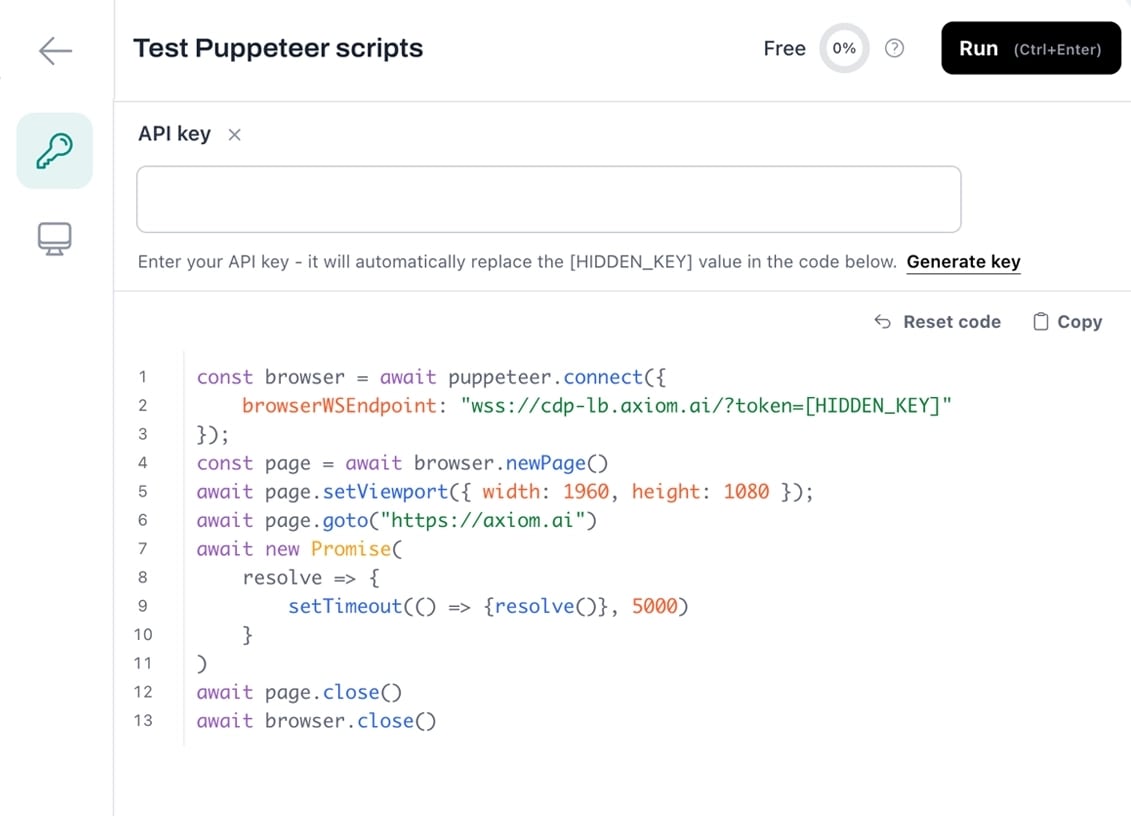
run coded automations in axiom code - axiom.ai.
Choose axiom if:
- You or your team lack dedicated engineering resources but need browser automation.
- Your workflows involve Google Sheets, forms, and SaaS apps more than raw data pipelines.
- You want to experiment with AI-generated automations without building your own agent infrastructure.
- You value a single platform that spans no-code, code, and AI-assisted building.
Look elsewhere if:
- Your primary need is high-volume, anti-detection web scraping at scale. Compare AdsCrawl vs ScrapingBee for API-first alternatives.
- You require transparent, predictable pricing before starting a trial.
- Your automations demand complex state management better suited to a full testing framework like Playwright or Selenium.
Related reading
- Scrapfly API Guide: Web Scraping, Browser & Screenshots - Learn to use Scrapfly's web scraping API, cloud browser, and screenshot API with step-by-step cURL and Python examples. Includes AdsCrawl alternative.
Sources and further reading
- Everything You Need to Know Axiom Ai- Full Review - Medium - Everything You Need to Know Axiom Ai- Full Review When it comes to web scraping, data entry, spreadsheet automation, and building custom bots, Axiom AI is a powerful tool that can streamline your …
- Browser automation & web scraping, no-code or code | axiom.ai - Automate any website with our no-code tool, our browser automation API, or by describing it to Claude. Axiom runs on our cloud or your machine.
- Customer Advisory: AI Won't Turn Trading Bots into Money Machines - Customer Advisory: AI Won't Turn Trading Bots into Money MachinesCommodity Futures Trading Commissionhttps://www.cftc.gov › AdvisoriesAndArticles › AITradi...Commodity Futures Trading Commissionhttps://www.cftc.gov › AdvisoriesAndArticles › AITradi...
FAQ
Does axiom.ai work for web scraping behind logins?
Yes. The visual builder can handle login steps, including multi-factor authentication flows. Bots can store session cookies and reuse them across scheduled runs.
Can I run axiom bots on my own servers?
Not in the traditional sense. The desktop app runs locally on Windows and macOS. For server-side execution, you use axiom’s cloud infrastructure. There is no self-hosted cloud option.
How does axiom handle CAPTCHAs?
axiom integrates with 2Captcha for automated CAPTCHA solving. You need a 2Captcha account and API key; axiom triggers the solving service when a CAPTCHA step is encountered.
Is the AI bot builder reliable enough for production?
It’s best treated as a prototyping accelerator. Simple, well-described workflows often work on the first try. Complex or ambiguous instructions may need manual refinement in the visual builder or code editor.
What happens to my data when I use axiom’s cloud?
axiom states it does not store the results of your automations. Bot step definitions and performance metadata are stored, but scraped or processed data is not retained on axiom’s systems. Review their privacy policy for the latest details.
Conclusion
axiom.ai earns its place as a versatile browser automation platform by genuinely lowering the barrier to entry. The combination of a polished no-code builder, a developer-friendly API, and an emerging AI-assisted mode covers more ground than most competitors. It’s particularly strong for teams that need to connect web data to spreadsheets and SaaS tools without building custom infrastructure.
The main friction points—opaque pricing and a visual builder that can strain under complex logic—are real but not deal-breaking for the core audience. If your automation needs align with axiom’s sweet spot, the free tier makes it easy to validate before committing. For those pushing into high-scale, anti-detection territory, pairing axiom with a dedicated scraping API or evaluating API-first platforms remains a prudent path.