
AdsCrawl vs ParseHub: API Browser Automation or Visual Scraper?
Compare AdsCrawl and ParseHub: API-driven browser automation vs a visual no-code scraper. See which fits AI agents, monitoring, and data pipelines.
AdsCrawl vs ParseHub: API Browser Automation or Visual Scraper?
Choosing between AdsCrawl and ParseHub is less about picking a winner and more about matching a tool to how your team actually works. ParseHub is a visual, point-and-click scraper that turns a site into a spreadsheet without code. AdsCrawl is browser automation and data extraction infrastructure exposed through an API, built for developers, AI agents, and repeatable pipelines. This comparison breaks down what each does well, where each struggles, and how to decide.
What each tool actually is
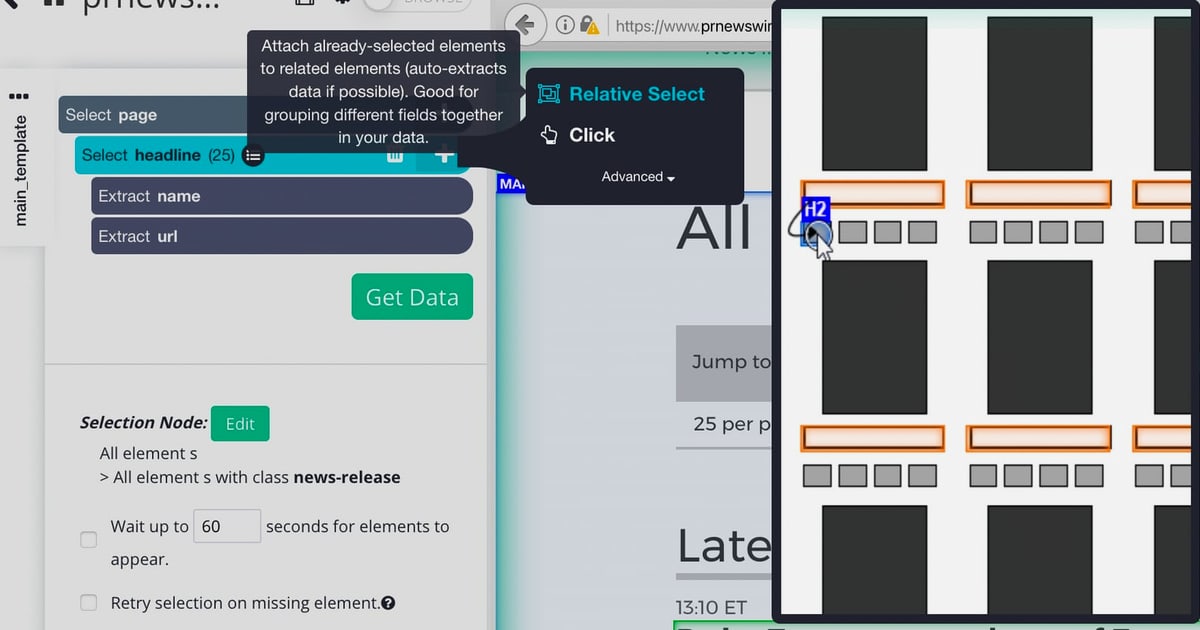
ParseHub product interface.
AdsCrawl in one paragraph
AdsCrawl provides real browser capabilities through a unified API. You can capture screenshots, extract HTML and Markdown, and control remote Chrome DevTools Protocol (CDP) sessions. It is designed for AI agents, monitoring, SEO, and automation workflows. The platform offers cloud browser sessions with fingerprint profiles, concurrent browser execution, and credit-based usage with a freemium model. Teams use it to collect public web pages at scale, validate page rendering states, and wrap repeatable web actions into reliable APIs. Dashboards cover key management, usage tracking, and debugging, and integration is quick via cURL, Node.js, and Python examples.
ParseHub in one paragraph
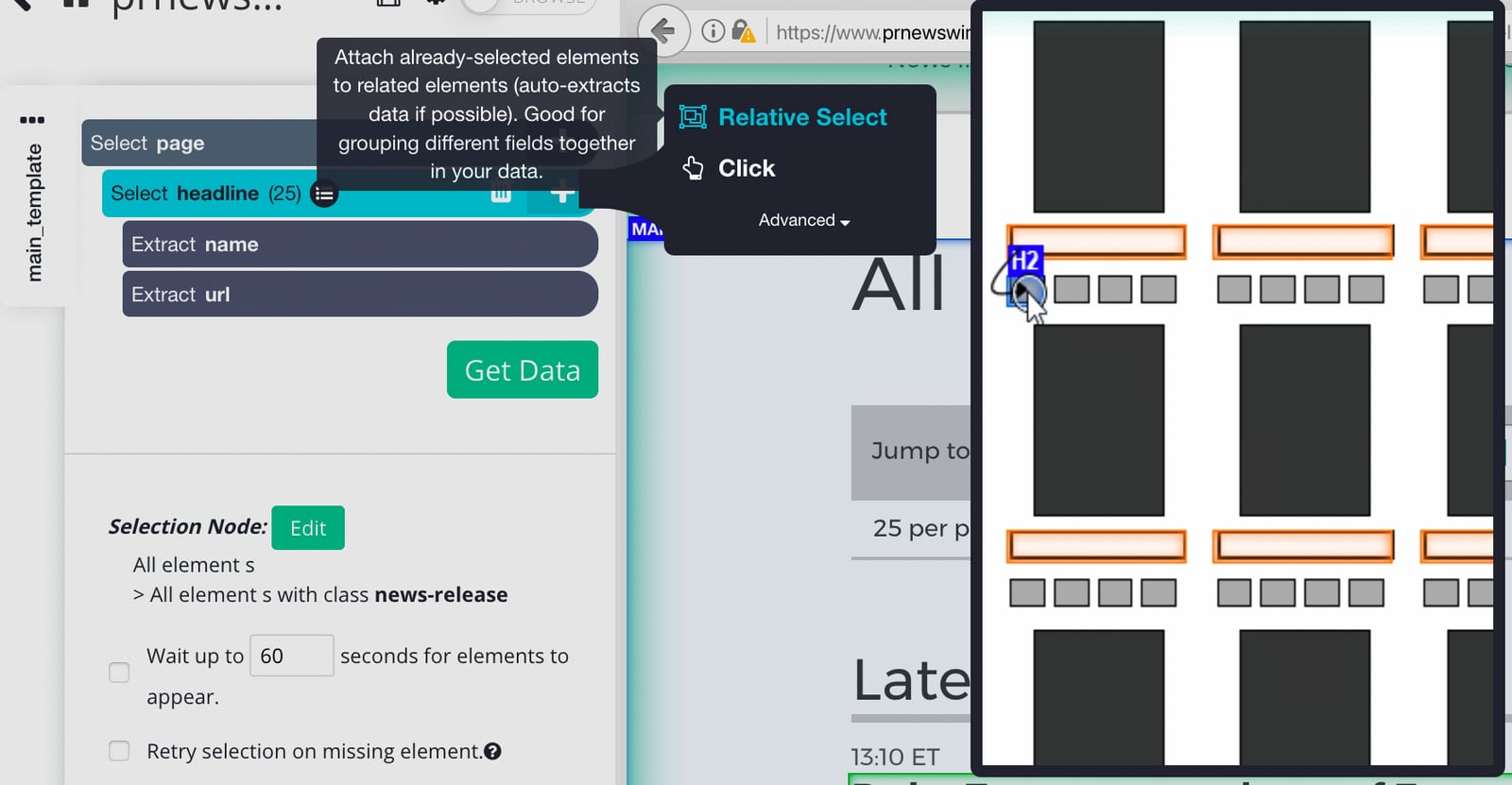
ParseHub is a free web scraping tool that lets users extract data from websites without coding. It serves marketers, researchers, developers, and businesses that need structured data from public pages. Core use cases include ecommerce product data such as pricing and reviews, press releases, sports betting odds, and addresses. Key features include a visual point-and-click interface, cloud-based scraping, IP rotation, Dropbox integration, and export to Excel or JSON. ParseHub positions itself as an accessible alternative when data providers lack APIs or impose limitations, and it publishes tutorials for complex sites like Cision, Etsy, Walmart, and Yelp.
Core architectural difference
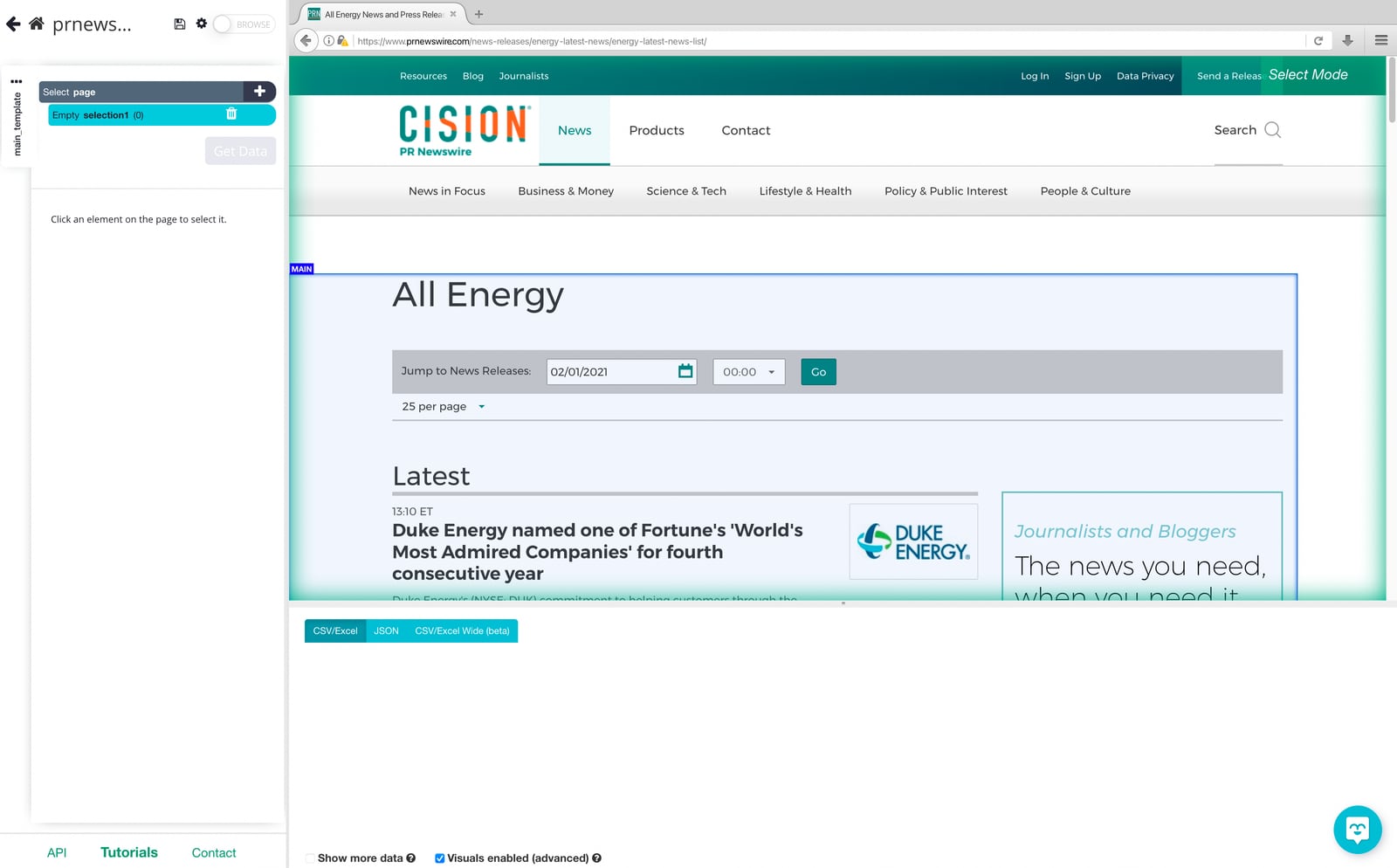
ParseHub product interface.
The single biggest difference is who owns the workflow.
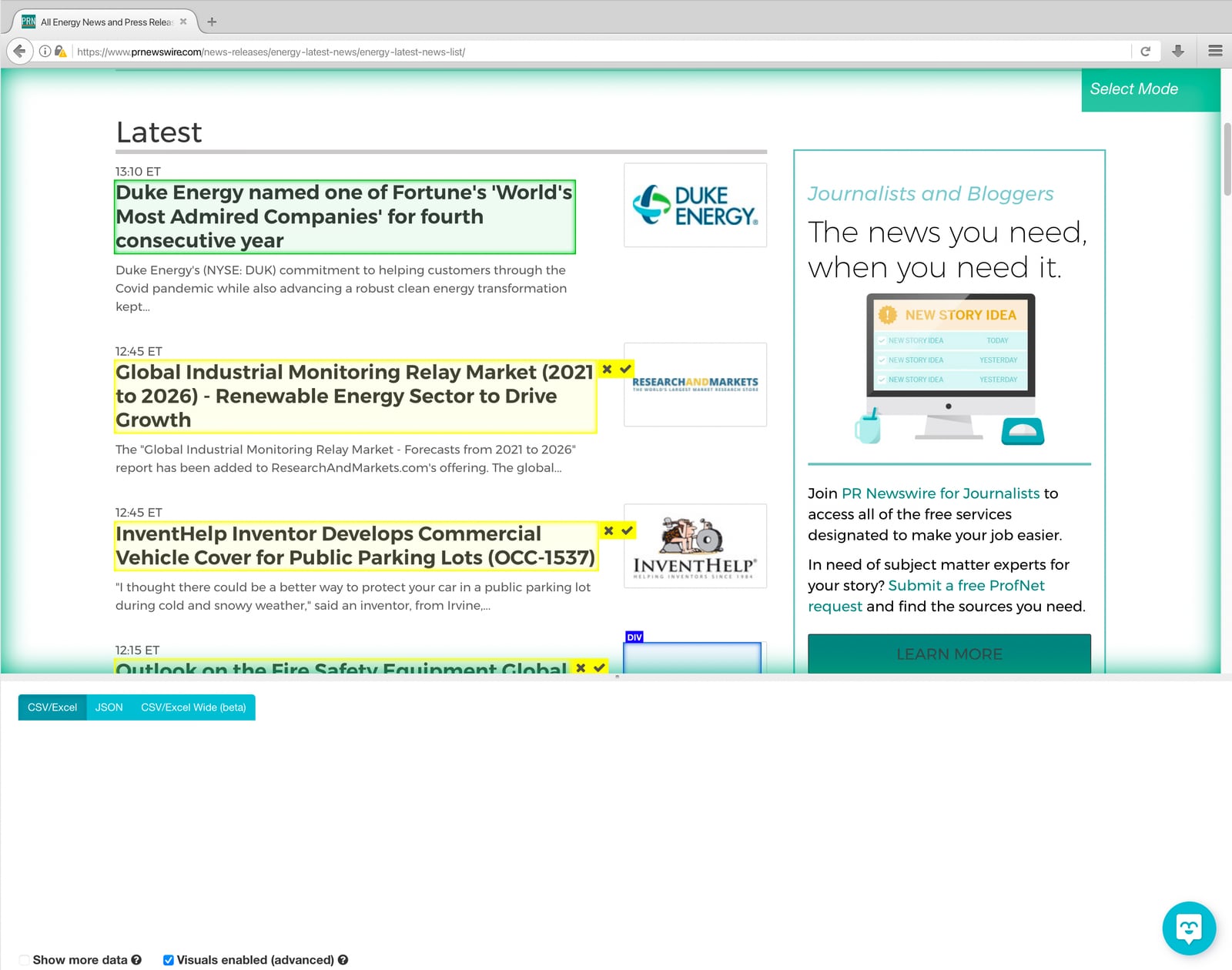
- ParseHub is a desktop application. You load a page inside its browser, click the elements you want, and it builds a selection plan it can run across many pages. The scraping logic lives inside a project you build and maintain.
- AdsCrawl is an API. You send a request, and the platform runs a real browser session on your behalf. The logic lives in your code, your agent, or your automation stack.
That difference cascades into everything else: who can use the tool, how it scales, how it breaks, and how it fits into a production system.
Feature-by-feature comparison
ParseHub product interface.
| Dimension | AdsCrawl | ParseHub |
|---|---|---|
| Primary interface | REST API (cURL, Node.js, Python examples) | Desktop visual point-and-click app |
| Coding required | Yes, minimal | No |
| Browser control | Remote Chrome DevTools Protocol (CDP) sessions | Built-in browser inside the app |
| Output formats | Screenshots, HTML, Markdown | Excel, JSON, CSV, API, Dropbox |
| JavaScript-heavy pages | Yes, real browser rendering | Yes, handles AJAX and JavaScript pages |
| Concurrency | Concurrent browser execution | Cloud runs; scheduling supported |
| Identity management | Cloud browser sessions with fingerprint profiles | IP rotation via proxy fleet |
| Best fit | AI agents, monitoring, SEO, automation pipelines | No-code extraction for analysts and marketers |
| Maintenance model | You maintain API calls and parsing logic | You maintain the visual project and selectors |
Where AdsCrawl has the advantage
Built for agents and pipelines, not one-off exports
AdsCrawl is positioned as browser infrastructure for the AI era. If you are building an agent that needs to read a page, a monitoring job that checks rendering states, or an SEO workflow that captures screenshots and Markdown, the API model is the natural fit. You can wire it into an existing codebase in minutes using cURL, Node.js, or Python examples, and manage keys, usage, and debugging from a dashboard.
Real browser sessions with fingerprint profiles
Because AdsCrawl exposes remote CDP sessions and cloud browser sessions with fingerprint profiles, you get control over the browser environment itself, not just the extracted text. That matters for validating page rendering states, testing how a page behaves for different identities, and debugging why a scrape returned unexpected output. For a deeper look at how this connects to agent tooling, see MCP Server Explained: How AI Agents Connect to Real Tools.
Multiple output formats in one call
Screenshots, HTML, and Markdown are all first-class outputs. That flexibility is useful when different parts of a workflow need different representations: a vision model may want a screenshot, an LLM may want clean Markdown, and a parser may want raw HTML. ParseHub's strength is structured tabular data; AdsCrawl's strength is the raw material that feeds downstream systems.
Concurrency and credit-based scaling
Concurrent browser execution and credit-based usage with a freemium model let teams start small and scale up without re-architecting. You pay for what you use rather than committing to a seat-based plan.
Where ParseHub has the advantage

ParseHub product interface.
Genuinely no-code
ParseHub's core appeal is real: non-programmers can turn a dynamic, awkwardly structured site into something API-like without writing code. Its machine learning relationship engine screens the page and understands the hierarchy of elements, so you see data pulled in seconds. For analysts and researchers who want to spend time on analysis rather than plumbing, that tradeoff is compelling.
Proven on complex, interactive sites
ParseHub handles AJAX and JavaScript-driven pages, and it can search through forms, open dropdowns, log in to websites, click on maps, and deal with infinite scroll, tabs, and pop-ups. Its published tutorials for sites like Cision, Etsy, Walmart, and Yelp demonstrate versatility on targets that trip up simpler tools.
Familiar export and integration options
Excel, JSON, CSV, Google Sheets, Tableau, Dropbox, and a REST API cover the common analyst workflow. Scheduled collection means you can get a new dataset daily, weekly, or monthly without keeping your machine on.
Free entry point
ParseHub is free to start, which makes it a low-risk first tool for small or one-off projects.
Where each tool has real weaknesses
AdsCrawl
- Requires coding or at least API literacy. Teams without developers will find the visual approach of ParseHub easier.
- It is infrastructure, not a finished data product. You still need to define what to extract and how to parse it.
- Credit-based usage means heavy screenshot or rendering workloads need budgeting attention.
ParseHub
- The scraping logic lives in a project you build and maintain. As one comparison of ParseHub alternatives notes, a selector that works today often breaks when a site changes its markup, and someone has to fix it.
- Desktop-first workflow is less natural for automated pipelines and agent-driven tasks.
- It is optimized for structured extraction rather than for returning screenshots, Markdown, or raw browser session control.
- Scaling to high concurrency typically means moving up paid tiers rather than tuning an API call.
Decision guide: which should you choose?
Choose AdsCrawl if you:
- Are building AI agents, monitoring systems, or SEO automation that need browser-level access.
- Want screenshots, HTML, and Markdown from a single API.
- Need remote CDP sessions, fingerprint profiles, and concurrent browser execution.
- Prefer to own the logic in code and integrate via cURL, Node.js, or Python.
- Value a freemium, credit-based model that scales with usage.
Choose ParseHub if you:
- Do not want to write code and prefer a visual point-and-click builder.
- Need structured tabular data from ecommerce, press release, odds, or directory sites.
- Want scheduled cloud runs and exports to Excel, JSON, CSV, or Dropbox.
- Are running a small or one-off project where the free tier is enough.
Consider both if:
- Your analysts use ParseHub for exploratory extraction while your engineering team uses AdsCrawl for production pipelines.
- You want a no-code front end for discovery and an API for scale.
If you are still weighing broader options, these comparisons may help: AdsCrawl vs Browserless vs ScrapingBee: Which API Wins? and AdsCrawl vs Scrapfly vs Playwright: Which Fits Your Stack?. For a cost-focused view of a different tool, see ScraperAPI Review: Real Costs, Limits, and Best Fit.
Practical examples
Example 1: An AI agent that reads a product page
With AdsCrawl, the agent calls the API, receives Markdown for reasoning and a screenshot for visual verification, and stores both. With ParseHub, you would build a project to extract price, title, and reviews, then export JSON. The ParseHub route gives cleaner structured fields; the AdsCrawl route gives the agent richer context.
Example 2: A daily price monitoring job
AdsCrawl handles this with a scheduled API call and concurrent browser sessions, returning HTML or Markdown for diffing. ParseHub handles it with a scheduled cloud run and IP rotation, returning a spreadsheet. Both work; the difference is whether the output feeds a code pipeline or a human analyst.
Example 3: Validating page rendering across regions
AdsCrawl's fingerprint profiles and CDP sessions let you check how a page renders for different identities and capture screenshots as evidence. ParseHub is not built for this use case.
Sources and further reading
- ParseHub Alternatives Compared: features and approach - ParseHub alternatives compared on features and approach: what each tool suits, where ParseHub fits best, and how to pick the right scraper for you.
- Evaluating web scraping tools: r/webscraping - Reddit - I made a list of alternatives: ScrapeStorm, Octoparse, Scrapestack, Apify, Web Scraper, Scrapy (ScrapingHub), Mozenda, ParseHub, Dexi, Diffbot. Until now I already tried Scrapy, Apify and Octoparse. Do you thing that should I try the rest or Scrapy and Octoparse are the main solutions in the market? Looking forward your replies. Thanks in...
- ParseHub | Free web scraping - ParseHub is a free web scraping tool. Turn any site into a spreadsheet or API. As easy as clicking on the data you want to extract.
FAQ
Is AdsCrawl a replacement for ParseHub?
Not exactly. AdsCrawl replaces the browser and extraction layer for developers and agents. ParseHub replaces the manual copy-paste workflow for non-coders. They overlap on data extraction but serve different users.
Can ParseHub handle JavaScript-heavy sites?
Yes. ParseHub renders AJAX and JavaScript-driven pages and can interact with forms, dropdowns, logins, maps, infinite scroll, tabs, and pop-ups.
Does AdsCrawl require coding?
It requires API literacy. Integration examples are provided in cURL, Node.js, and Python, so a developer can get started quickly, but it is not a point-and-click tool.
Which is cheaper?
ParseHub has a free tier and paid plans; AdsCrawl uses credit-based usage with a freemium model. Cost depends on volume, rendering needs, and concurrency, so compare against your actual workload rather than list prices.
Can I use both together?
Yes. A common pattern is using ParseHub for quick, no-code exploration and AdsCrawl for production automation, monitoring, and agent workflows.
Conclusion
AdsCrawl and ParseHub solve different problems. ParseHub lowers the barrier to structured data extraction for non-programmers and handles complex interactive sites through a visual interface. AdsCrawl gives developers and AI agents real browser control through an API, with screenshots, HTML, Markdown, CDP sessions, fingerprint profiles, and concurrency. If your work lives in code, pipelines, or agents, AdsCrawl is the stronger fit. If your work lives in a spreadsheet and you would rather click than code, ParseHub remains a capable choice.
For more context on how these tools fit into a modern stack, explore the related comparisons linked above and evaluate both against a real target page before committing.