
MCP Server Explained: How AI Agents Connect to Real Tools
Learn what an MCP server is, how the Model Context Protocol connects AI agents to data and tools, and how it differs from APIs and browser automation.

MCP Server Explained: How AI Agents Connect to Real Tools
An MCP server is the piece of software that lets an AI application reach beyond its training data and actually do something — read a file, query a database, call a search engine, or drive a browser. If you have heard the term "MCP" thrown around in developer chats and wondered whether it is a real standard or just another acronym, this article breaks down what an MCP server is, how the Model Context Protocol works, and where it fits next to the APIs you already use.
What Is an MCP Server?
MCP Server Explained: How AI Agents Connect to Real Tools - What Is an MCP Server?.
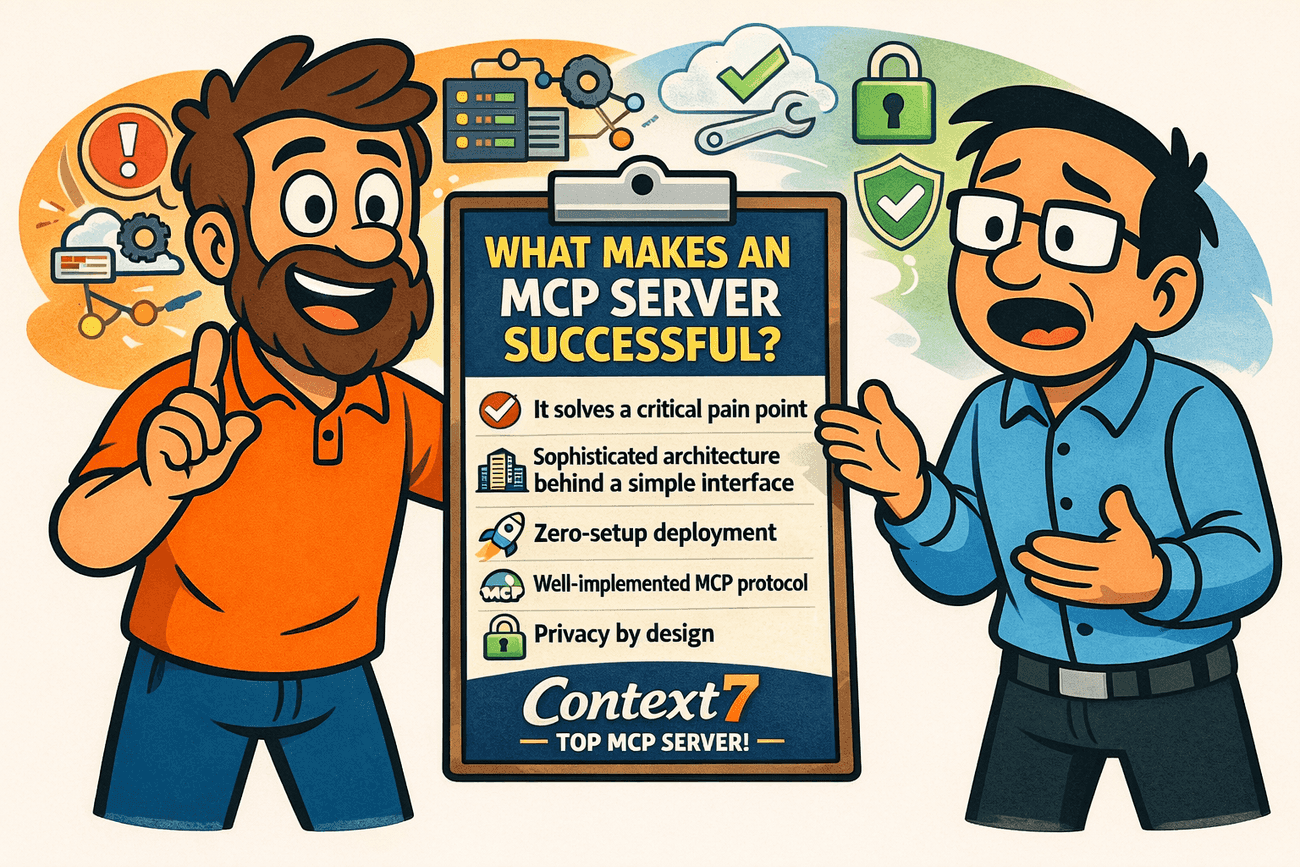
MCP stands for Model Context Protocol, an open standard for connecting AI applications to external systems. The "server" in MCP server is not a physical machine — it is a program that exposes a defined set of capabilities (data sources, tools, or workflows) in a format an AI client can understand and call.
A useful mental model: MCP works like a USB-C port for AI applications. Just as USB-C gives you one standardized connector for monitors, drives, and chargers, MCP gives AI applications one standardized way to plug into external systems. The AI client speaks MCP; the MCP server translates that conversation into whatever the underlying system actually needs.
The two halves: client and server
- MCP client — the AI application or agent (for example, a chat assistant or a coding tool) that wants to use external capabilities.
- MCP server — the connector that advertises what it can do and executes those actions when asked.
When an agent needs your calendar, a database, or a web page, it does not hard-code a custom integration for each one. It asks the MCP server, which handles the details.
Why MCP Servers Exist: The Integration Problem
MCP Server Explained: How AI Agents Connect to Real Tools - Why MCP Servers Exist: The Integration Problem.
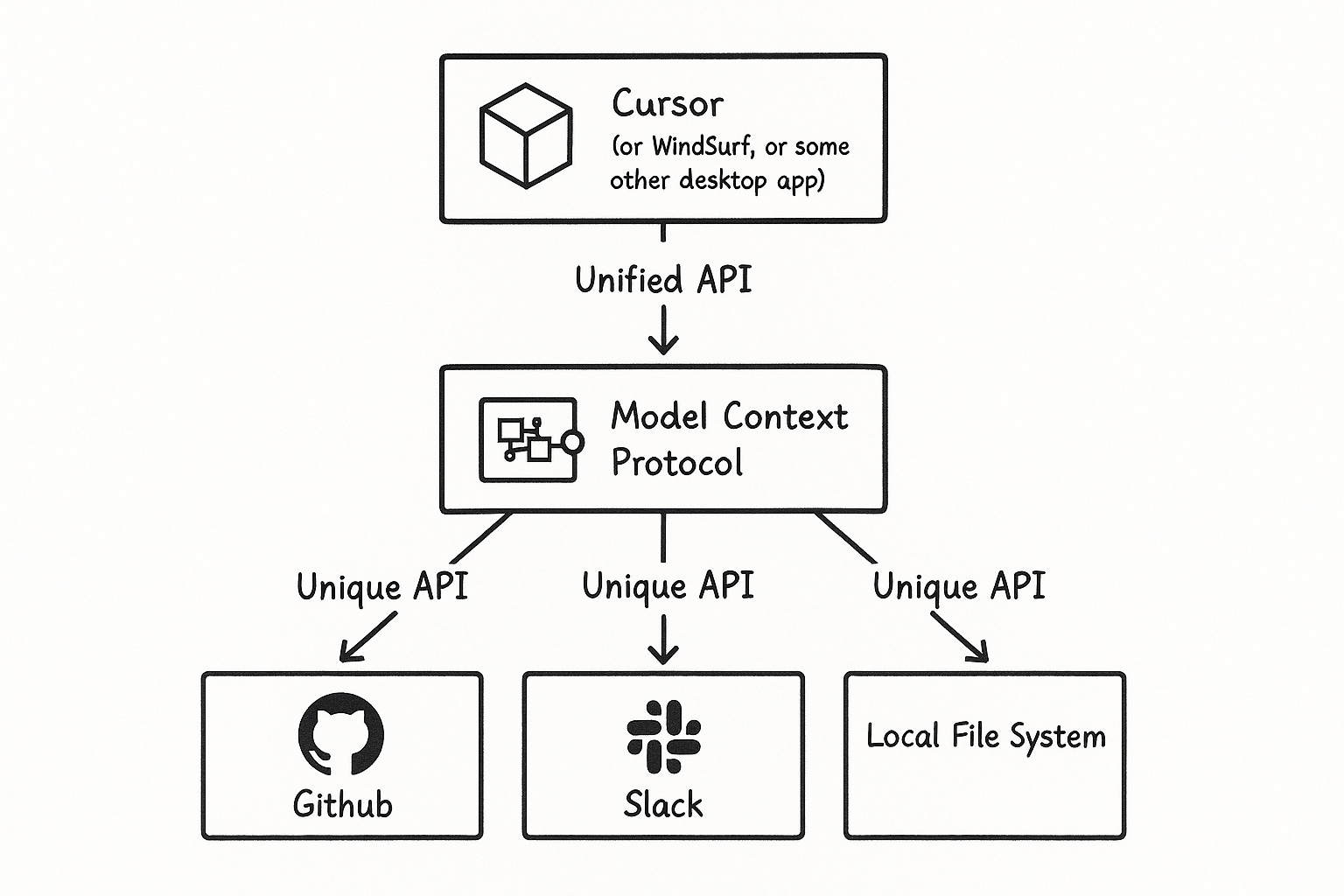
Before MCP, connecting software products to each other almost always meant writing custom code against each product's API. If you had three products with three different APIs and wanted them all feeding into one AI layer, you had to understand three authentication schemes, three data shapes, and three sets of quirks.
That approach does not scale. As more tools connect to more agents, the number of one-off integrations balloons. MCP addresses this by sitting one layer above the APIs and standardizing how context flows upward to the model. The agent knows what structure to expect; the server knows how to fetch it.
The result is less glue code, faster integration, and agents that can be genuinely useful instead of trapped in a chat box with no access to your real data.
What Can an MCP Server Actually Do?
MCP Server Explained: How AI Agents Connect to Real Tools - What Can an MCP Server Actually Do?.
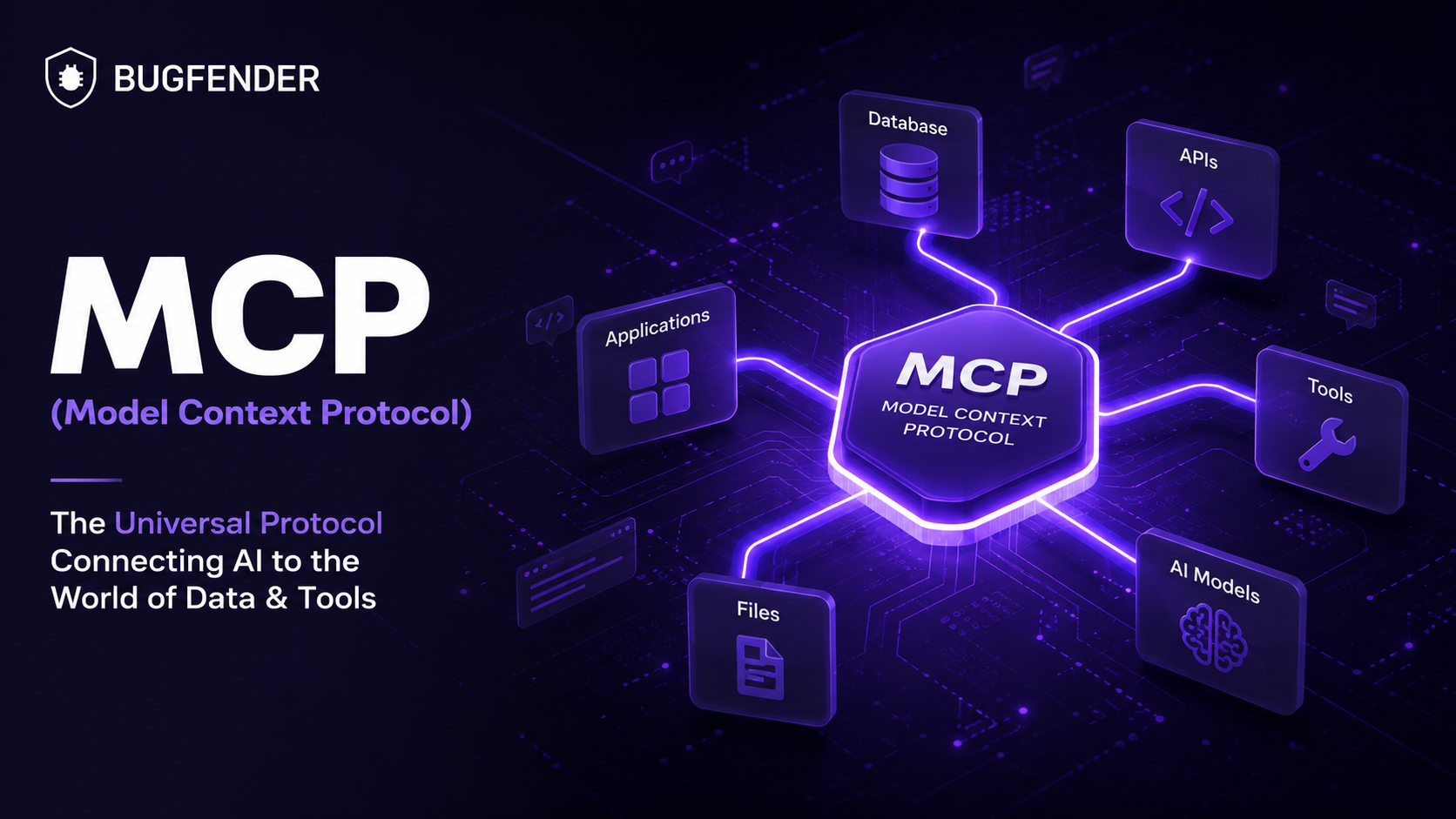
MCP servers are not limited to reading data. They can expose tools and workflows that take action. Common categories include:
- Data access — local files, databases, internal knowledge bases, or document stores.
- Tool use — search engines, calculators, code execution, or specialized utilities.
- Workflow orchestration — multi-step prompts and processes the agent can trigger.
- Web interaction — fetching pages, capturing screenshots, or controlling a browser session.
For example, an agent could pull a design file, generate a web app, and hand off a rendered preview — all by calling different MCP servers rather than embedding all that logic itself.
MCP Server vs API: What Is the Difference?
MCP Server Explained: How AI Agents Connect to Real Tools - MCP Server vs API: What Is the Difference?.
This is the most common point of confusion, and it is worth being precise.
| Aspect | Traditional API | MCP Server |
|---|---|---|
| Purpose | Connect two specific systems | Standardize how AI clients reach many systems |
| Consumer | Your application code | An AI application or agent |
| Integration effort | Custom per API | Built once, reusable across MCP clients |
| Data shape | Defined by each provider | Described in a consistent format for the model |
MCP does not replace APIs. It sits above them. The MCP server still calls the underlying API or service — it just presents a uniform interface so the AI layer does not have to learn every provider's dialect.
Where Browser Automation Fits
Many of the most valuable agent tasks require interacting with the live web: rendering a page, confirming what a user actually sees, or extracting structured content from a site that has no convenient API. That is where browser automation infrastructure becomes relevant.
A browser automation API can serve as the execution layer behind an MCP server. When an agent needs a page rendered or a screenshot captured, the MCP server calls the browser service, which runs a real browser session and returns the result. Platforms like AdsCrawl provide this kind of browser infrastructure — cloud browser sessions, HTML and Markdown extraction, screenshots, and remote Chrome DevTools Protocol (CDP) control — so the agent does not need to manage browser binaries, fingerprints, or concurrency itself.
If you are comparing execution layers, the trade-offs between managed APIs and frameworks are covered in AdsCrawl vs Browserless vs ScrapingBee, which walks through how each handles automation, scraping, and agent workloads.
MCP Server Architecture in Practice
A typical MCP setup has three layers:
- The AI client — decides what it needs and issues a request.
- The MCP server — maps that request to a concrete capability and validates inputs.
- The execution backend — the API, database, or browser service that performs the work.
Keeping these layers separate matters. It means you can swap the backend without rewriting the agent, and you can add new capabilities without touching the client.
A simple example
Imagine an agent asked to "check whether our pricing page renders correctly on mobile." The client calls an MCP server that exposes a browser tool. The server invokes a browser automation endpoint with a mobile viewport profile, captures a screenshot, and returns it. The agent inspects the result and reports back. No custom integration was written for that one task — the capability already existed as a tool.
Security and Privacy Considerations
Security is one of the most active discussions around MCP, and for good reason. Once an agent can reach your internal data, the boundaries matter enormously.
Key questions to ask when evaluating any MCP server:
- What can it access? Scope permissions to the minimum needed for the task.
- Who authorizes it? Authentication should be explicit, not implied.
- What gets logged? Understand what data leaves your environment and where it goes.
- Can you revoke it? Access should be revocable without dismantling your whole setup.
The protocol provides a structure for these controls, but the implementation details live in each server. Treat MCP servers like any other privileged integration: review them before granting access.
When to Use an MCP Server (and When Not To)
MCP servers are a strong fit when:
- You are building agentic workflows that need multiple external systems.
- You want reusable connectors instead of one-off integration code.
- You expect to add or swap tools over time.
They are less useful when:
- You need a single, stable, high-volume integration between two known systems — a direct API call may be simpler.
- Your workload is fully deterministic and does not involve an AI layer.
- You cannot accept the operational overhead of running or trusting an additional service.
Related reading
- AdsCrawl vs Scrapfly vs Playwright: Which Fits Your Stack? - Compare AdsCrawl, Scrapfly, and Playwright for browser automation, web scraping, screenshots, and AI agents. See which API or framework fits your workflow.
- AdsCrawl vs Scrapfly vs Selenium: Which Tool Wins? - Compare AdsCrawl, Scrapfly, and Selenium for browser automation, web scraping, screenshots, and AI agents. See which API or framework fits your workflow.
- AdsCrawl vs ScrapingBee vs Selenium: Which Tool Wins? - Compare AdsCrawl, ScrapingBee, and Selenium for browser automation, scraping, and testing. See which API or framework fits your workflow.
Sources and further reading
- What is the Model Context Protocol (MCP)? - Model Context Protocol - MCP (Model Context Protocol) is an open-source standard for connecting AI applications to external systems. Using MCP, AI applications like Claude or ChatGPT can connect to data sources (e.g. local files, databases), tools (e.g. search engines, calculators) and workflows (e.g. specialized prompts)—enabling them to access key information and perform tasks. Think of MCP like a USB-C port for AI applications. Just as USB-C provides a standardized way to connect electronic devices, MCP provides a standardized way to connect AI applications to external systems.
- No Dumb Questions: What is an MCP server and why do I care? - Welcome to No Dumb Questions, a column where our least technical writer asks our technical staff the simple, basic tech questions people are afraid to ask. In this first entry, Stack's Director of Ecosystem Strategy Ben Marconi teaches us the basics of MCP servers and why they matter.
- What are MCP servers exactly, what market are they targeting, and ... - Jul 1, 2025 ... MCP servers are like plugins for LLMs. You define a bunch of questions and how the data will be returned. The specs themselves are very, very ...
FAQ
What is an MCP server in one sentence?
An MCP server is a connector that exposes data sources, tools, or workflows to AI applications through the standardized Model Context Protocol, so agents can access external systems without custom integrations for each one.
Is MCP the same as an API?
No. MCP is a layer above APIs. The MCP server typically calls an API or service underneath, but it presents a consistent interface to the AI client so the model does not need to understand each provider's unique format.
Who created MCP?
MCP originated from Anthropic and has since been adopted across a broad range of AI assistants, development tools, and platforms, making it an open standard rather than a single-vendor feature.
Do I need an MCP server to use browser automation with an agent?
Not strictly — you can call a browser automation API directly. But wrapping it in an MCP server makes the capability reusable across agents and clients, which is usually the better choice once more than one workflow depends on it.
Are MCP servers safe?
The protocol supports structured access control, but safety depends on the individual server's implementation. Review what each server can reach, how it authenticates, and what it logs before connecting it to sensitive systems.
Conclusion
An MCP server is best understood as a standardized bridge: it lets AI applications reach real data and take real actions without a bespoke integration for every tool. MCP does not replace APIs — it organizes them into a shape models can reason about. For teams building agents that need to interact with the live web, pairing an MCP server with reliable browser automation infrastructure is a practical way to turn "the agent can talk about a page" into "the agent can actually fetch, render, and verify it." Start by identifying the one capability your agent needs most, expose it as a tool, and expand from there.