
Scrapfly API Setup: Web Scraping, Cloud Browser & Screenshots
Learn to set up Scrapfly's web scraping, cloud browser, and screenshot APIs. Step-by-step configuration, code examples, and a comparison with AdsCrawl's real browser infrastructure.
Scrapfly API Setup: Web Scraping, Cloud Browser & Screenshots
Scrapfly positions itself as a unified web data platform, bundling anti-bot bypass, stealth browser sessions, residential proxies, and structured extraction behind a single API key. For developers and AI teams, the promise is straightforward: call one endpoint and receive clean HTML, rendered JavaScript, or full-page screenshots without managing headless browser fleets or rotating proxy lists. This guide walks through the practical setup of Scrapfly’s three core products—Web Scraping API, Cloud Browser, and Screenshot API—and then examines how a platform like AdsCrawl approaches the same challenges with a different architectural philosophy.
Understanding Scrapfly’s Product Architecture
Scrapfly API Setup: Web Scraping, Cloud Browser & Screenshots - Understanding Scrapfly’s Product Architecture.
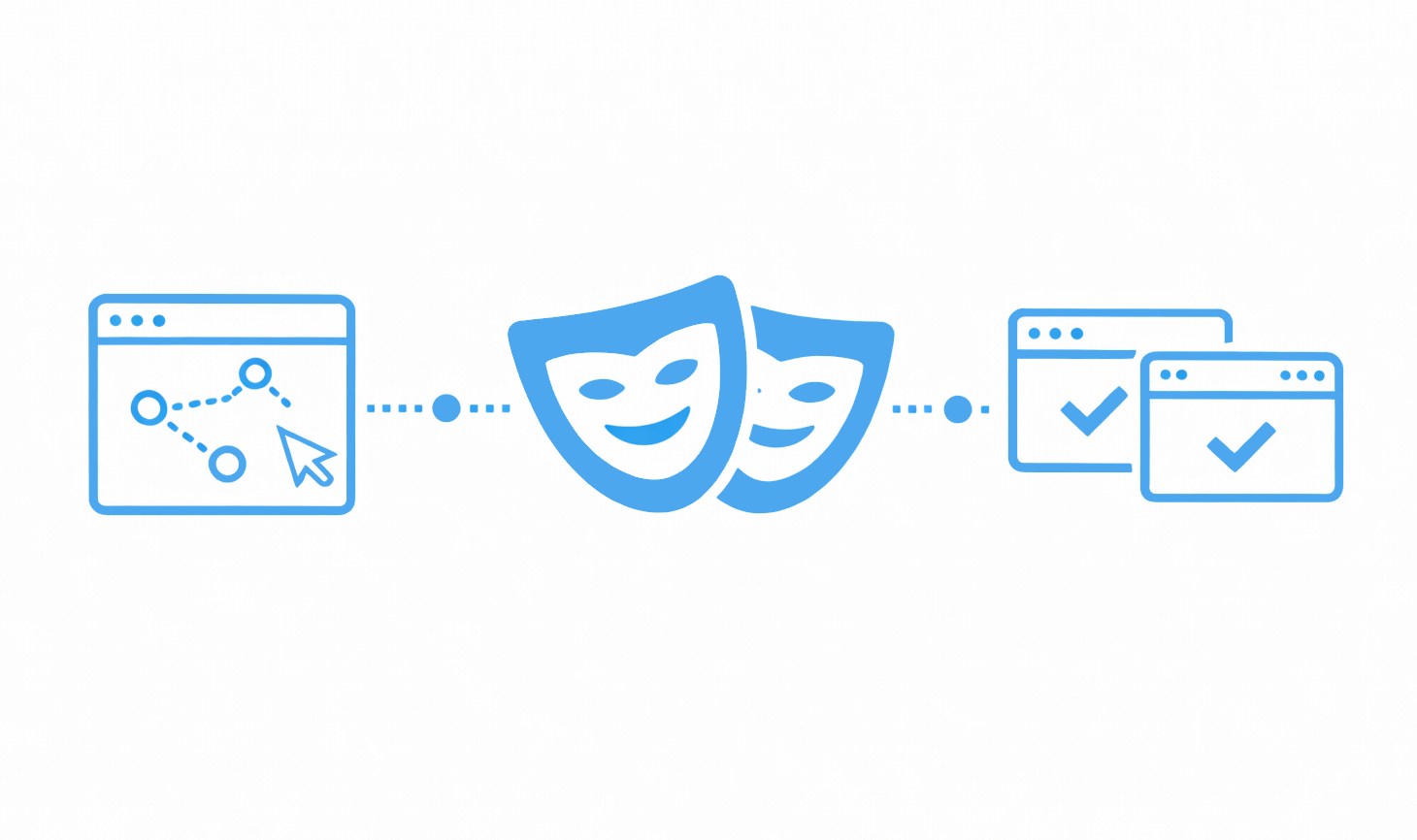
Scrapfly organizes its capabilities into five distinct API endpoints, all sharing the same credit pool and authentication model. The three most commonly adopted are:
- Web Scraping API (
POST api.scrapfly.io/scrape): Fetches a URL with configurable anti-bot bypass, proxy rotation, and optional JavaScript rendering. Returns HTML, Markdown, or structured JSON. - Cloud Browser (
wss://browser.scrapfly.io/cdp): Exposes a stealth Chromium instance over the Chrome DevTools Protocol (CDP), compatible with Playwright and Puppeteer. The browser is hosted, scaled, and fingerprinted to avoid detection. - Screenshot API (
POST api.scrapfly.io/screenshot): Captures full-page, viewport, or element-level screenshots in PNG, JPEG, or WebP. Supports ad blocking, cookie-banner dismissal, and custom viewport dimensions.
All three share a common credit-based billing model where failed requests due to anti-bot blocks are not charged. The platform also offers an Extraction API, Crawler API, AI Browser Agent, and an MCP Server for connecting to Claude, Cursor, and other AI tools.
Initial Setup: API Key and Authentication
Scrapfly API Setup: Web Scraping, Cloud Browser & Screenshots - Initial Setup: API Key and Authentication.
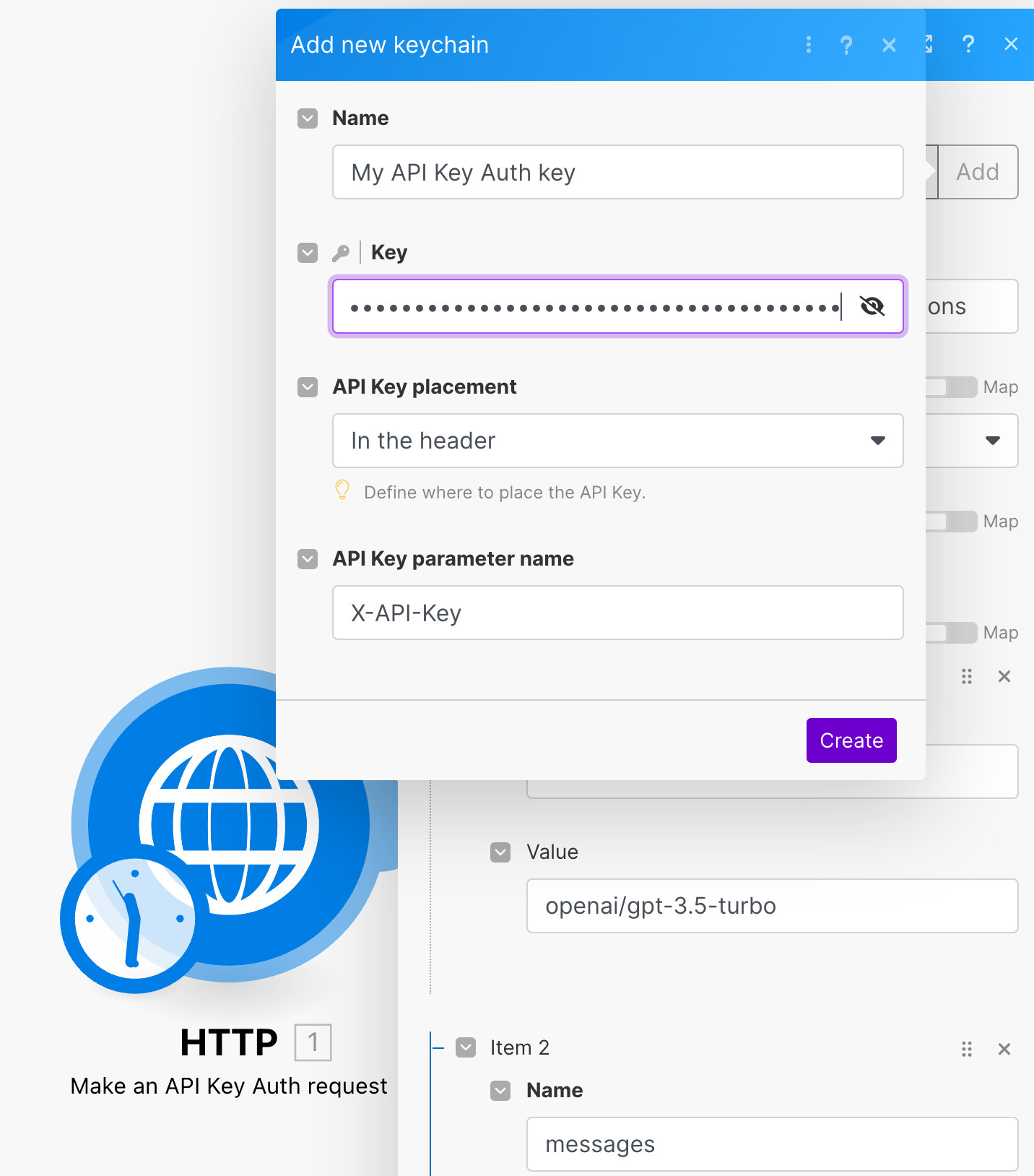
Every Scrapfly request authenticates with an API key passed either as a query parameter or an HTTP header. After signing up, you receive 1,000 free credits with no time limit and no credit card requirement.
Step 1: Obtain your key Register at scrapfly.io and copy the key from the dashboard. The key works across all products immediately.
Step 2: Choose your authentication method For GET-based endpoints like the Screenshot API, pass the key as a query parameter:
https://api.scrapfly.io/screenshot?url=https://example.com&key=YOUR_KEY
For POST-based endpoints like the Web Scraping API, include it in the JSON body or as an x-api-key header:
curl -X POST https://api.scrapfly.io/scrape \
  -H "Content-Type: application/json" \
  -d '{"key": "YOUR_KEY", "url": "https://example.com"}'
Step 3: Verify connectivity
Run a minimal scrape request. A successful response returns a JSON envelope with success: true, the page content, status code, and metadata headers like X-Scrapfly-Api-Cost indicating credit consumption.
Configuring the Web Scraping API
Scrapfly API Setup: Web Scraping, Cloud Browser & Screenshots - Configuring the Web Scraping API.
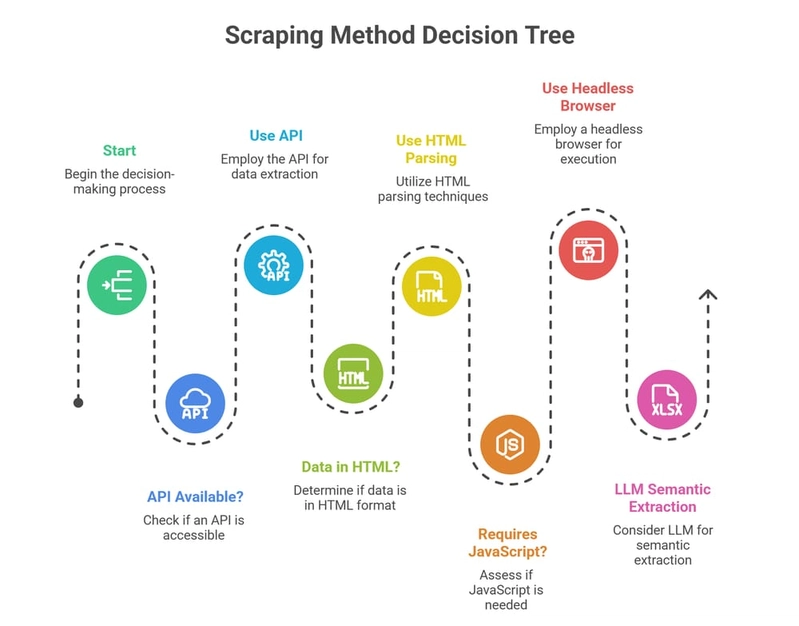
The Web Scraping API is the workhorse for data extraction. A basic call fetches a URL and returns raw HTML, but the real value lies in its rendering and unblocking parameters.
Enabling JavaScript Rendering
Many modern sites load content dynamically. Set render_js: true to execute JavaScript before returning the HTML:
import requests

response = requests.post(
    "https://api.scrapfly.io/scrape",
    json={
        "key": "YOUR_KEY",
        "url": "https://dynamic-site.com",
        "render_js": True
    }
)
data = response.json()
print(data["result"]["content"])
Anti-Bot Bypass and Proxy Selection
Scrapfly’s anti-bot engine activates with a single parameter. Add "asp": True to route through the stealth stack. Combine it with proxy selection for geo-targeting:
{
  "key": "YOUR_KEY",
  "url": "https://protected-site.com",
  "asp": True,
  "proxy_pool": "public_residential_pool",
  "country": "us"
}
Structured Extraction
Instead of parsing HTML manually, use the Extraction API with a JSON schema or natural-language prompt. This returns typed data for products, articles, reviews, or custom entities:
response = requests.post(
    "https://api.scrapfly.io/extraction",
    json={
        "key": "YOUR_KEY",
        "url": "https://ecommerce-site.com/product/1",
        "extraction_prompt": "Extract the product name, price, and description."
    }
)
Setting Up the Cloud Browser
Scrapfly API Setup: Web Scraping, Cloud Browser & Screenshots - Setting Up the Cloud Browser.
For workflows that require full browser interaction—clicking, form filling, or session persistence—Scrapfly’s Cloud Browser offers a remote Chromium instance accessible via CDP.
Connecting with Playwright
Install Playwright and point it at the Cloud Browser WebSocket endpoint:
pip install playwright
playwright install
from playwright.sync_api import sync_playwright

with sync_playwright() as p:
    browser = p.chromium.connect_over_cdp(
        "wss://browser.scrapfly.io/cdp?key=YOUR_KEY"
    )
    page = browser.new_page()
    page.goto("https://example.com")
    page.click("button#load-more")
    content = page.content()
    browser.close()
The Cloud Browser handles fingerprint randomization, header alignment, and proxy exit behind the scenes. Teams use this for complex login flows, single-page application crawling, and AI agent loops where deterministic control matters.
Session Persistence
Reuse browser contexts across multiple requests by storing and referencing session IDs. This maintains cookies, local storage, and authentication state without re-logging in.
Screenshot API Configuration
The Screenshot API is designed for simplicity, accepting GET requests with URL-encoded parameters. It is ideal for monitoring dashboards, visual regression testing, and capturing rendered states for audits.
Basic Full-Page Capture
https://api.scrapfly.io/screenshot?url=https://example.com&key=YOUR_KEY&format=png&full_page=true
Advanced Options
Add parameters to control output and page behavior:
viewport_widthandviewport_height: Set the browser window size.auto_scroll: Scroll to the bottom to trigger lazy-loaded images.block_banners: Dismiss cookie consent popups and ads.js: Execute custom JavaScript before capture.format: Choosepng,jpg,webp, orgif.
Example with multiple options:
https://api.scrapfly.io/screenshot?url=https://example.com&key=YOUR_KEY&format=webp&full_page=true&auto_scroll=true&block_banners=true
Retrieving Screenshots
The response body is the image binary. Alternatively, the X-Scrapfly-Screenshot-Url header provides a hosted URL for later retrieval, useful for asynchronous workflows.
Monitoring and Observability
Scrapfly includes a web dashboard that tracks success rates, latency, and credit consumption per project. Every response carries headers like X-Scrapfly-Api-Cost and X-Scrapfly-Remaining-Api-Credit, enabling real-time budget monitoring in production pipelines. The platform also exposes a live telemetry view and a status page for uptime tracking.
Where AdsCrawl Fits in the Browser API Landscape
While Scrapfly bundles scraping, browser, and screenshot capabilities into a single credit system, AdsCrawl takes a different approach: it is built as browser infrastructure for the AI era. Instead of abstracting the browser behind simplified scraping endpoints, AdsCrawl exposes real browser sessions with full CDP control, fingerprint profiles, and concurrent execution—designed for teams that need to wrap repeatable web actions into reliable APIs.
Real Browser Sessions vs. Managed Endpoints
Scrapfly’s Cloud Browser provides CDP access, but its primary value proposition is the managed scraping pipeline—anti-bot bypass, proxy rotation, and extraction templates. AdsCrawl focuses on giving developers raw browser power: you control the Chrome DevTools Protocol directly, define custom fingerprint profiles, and run concurrent sessions without managing infrastructure. This makes it particularly suited for AI agents that need to navigate, click, and extract in real time, rather than submitting a single URL and waiting for a result.
For a deeper comparison between cloud browser platforms, see AdsCrawl vs Browserless: Which Browser API Wins in 2026?.
Credit Models and Pricing Philosophy
Scrapfly uses a credit system where request cost scales with complexity—1 credit for a simple HTTP scrape, 5 credits with JavaScript rendering, 25 credits with residential proxies, and 60 credits for a full-page screenshot. AdsCrawl operates on a credit-based freemium model as well, but ties consumption to browser session duration and concurrency rather than per-request features. Both platforms offer free tiers: Scrapfly provides 1,000 credits forever, while AdsCrawl includes a free tier for prototyping.
When to Choose Each Platform
- Choose Scrapfly if your workflow centers on high-volume URL fetching with managed anti-bot bypass, and you want extraction templates and screenshot capture under one API key. The 98% success rate on protected sites and zero-cost failures make it strong for scraping-heavy teams.
- Choose AdsCrawl if you need persistent browser sessions, custom CDP commands, fingerprint management, and infrastructure designed for AI agents and automation workflows. The platform’s real browser capabilities support complex interaction sequences that go beyond single-request scraping.
For a broader look at how these tools compare with frameworks like Playwright and Selenium, read AdsCrawl vs ScrapingBee vs Playwright: Which Tool Wins? and AdsCrawl vs Selenium: Cloud API vs Framework in 2026.
Practical Integration: Combining Scrapfly and AdsCrawl
In production pipelines, teams often use both platforms for different stages. Scrapfly handles bulk data extraction and screenshot monitoring, while AdsCrawl manages interactive browser sessions that require stateful navigation. For example:
- Use Scrapfly’s Web Scraping API to collect product URLs from a listing page.
- Pass those URLs to an AdsCrawl browser session that logs into a retailer portal, adds items to a cart, and captures the checkout flow.
- Use Scrapfly’s Screenshot API to take daily visual snapshots of competitor landing pages for a monitoring dashboard.
This separation of concerns—managed scraping versus interactive browser automation—lets each tool operate in its strength zone.
Related reading
- axiom.ai Review: No-Code Browser Automation That Actually Works? - In-depth axiom.ai review: test its no-code, code, and AI bot builder, cloud vs local run, pricing signals, and real use cases. See if it fits your workflow.
Sources and further reading
- Scrapfly - Web Scraping API, Cloud Browser, Screenshot API - Power web scrapers and AI agents with Scrapfly's web data platform. One API key for anti-bot bypass, stealth Chromium over CDP, residential proxies, screenshots, and structured extraction.
- Scrapfly Screenshot API | API Specification - Scrapfly API - API Specification - Everything you need to take screenshots of any web pages with Scrapfly API. Available options, tips and errors.
- Scrapfly Pricing - Web Scraping API, Cloud Browser, Screenshot. One Key, Every Product. - Usage-based pricing across every Scrapfly product. 1,000 free API credits on signup, no credit card. Scale from prototype to 15B+ requests per month on the same API key.
FAQ
What is the difference between Scrapfly’s Web Scraping API and Cloud Browser?
The Web Scraping API is a managed HTTP endpoint that fetches a URL, optionally renders JavaScript, and returns content. The Cloud Browser is a full remote Chromium instance you control over CDP, suitable for multi-step interactions and persistent sessions.
Does Scrapfly charge for failed requests?
No. Failed requests due to anti-bot blocks or upstream errors (4xx/5xx) are not billed. Only successful scrapes consume credits.
Can I use Scrapfly with Playwright or Puppeteer?
Yes. The Cloud Browser endpoint (wss://browser.scrapfly.io/cdp) accepts standard CDP connections from Playwright, Puppeteer, and any CDP-compatible client.
How does AdsCrawl compare to Scrapfly for AI agent workflows?
AdsCrawl is built specifically for AI agents, offering real browser sessions, fingerprint profiles, and concurrent execution with full CDP control. Scrapfly’s AI Browser Agent targets similar use cases but packages it within a managed scraping platform. The choice depends on whether you need infrastructure-first browser control (AdsCrawl) or a unified scraping-to-agent pipeline (Scrapfly).
What screenshot formats does Scrapfly support?
PNG, JPEG, WebP, and GIF. You can capture full-page, viewport-only, or specific elements using CSS selectors.
Conclusion
Scrapfly delivers a mature, credit-unified platform that abstracts anti-bot complexity, proxy management, and browser rendering behind clean API endpoints. Its setup is minimal: sign up, copy a key, and choose the endpoint that matches your task. For teams whose primary need is reliable data extraction at scale, the Web Scraping API and Screenshot API provide fast time-to-value. For those requiring deeper browser control, the Cloud Browser offers CDP access within the same ecosystem.
However, when workflows demand persistent browser sessions, custom fingerprint profiles, and infrastructure purpose-built for AI agents, AdsCrawl presents a compelling alternative. Rather than layering browser access on top of a scraping platform, it starts with the browser as the core primitive—giving developers the control and concurrency needed for the next generation of web automation. Understanding both approaches lets you match the tool to the task, whether that means one API call for a million pages or a stateful browser session that thinks and acts like an agent.