
ScrapingBee Review 2026: API Features, Pricing & Real Tests
Evidence-based ScrapingBee review covering API setup, AI extraction, proxy rotation, pricing, and independent speed tests. See if it fits your scraping workflow.
ScrapingBee Review: A Developer-First Web Scraping API Under the Microscope
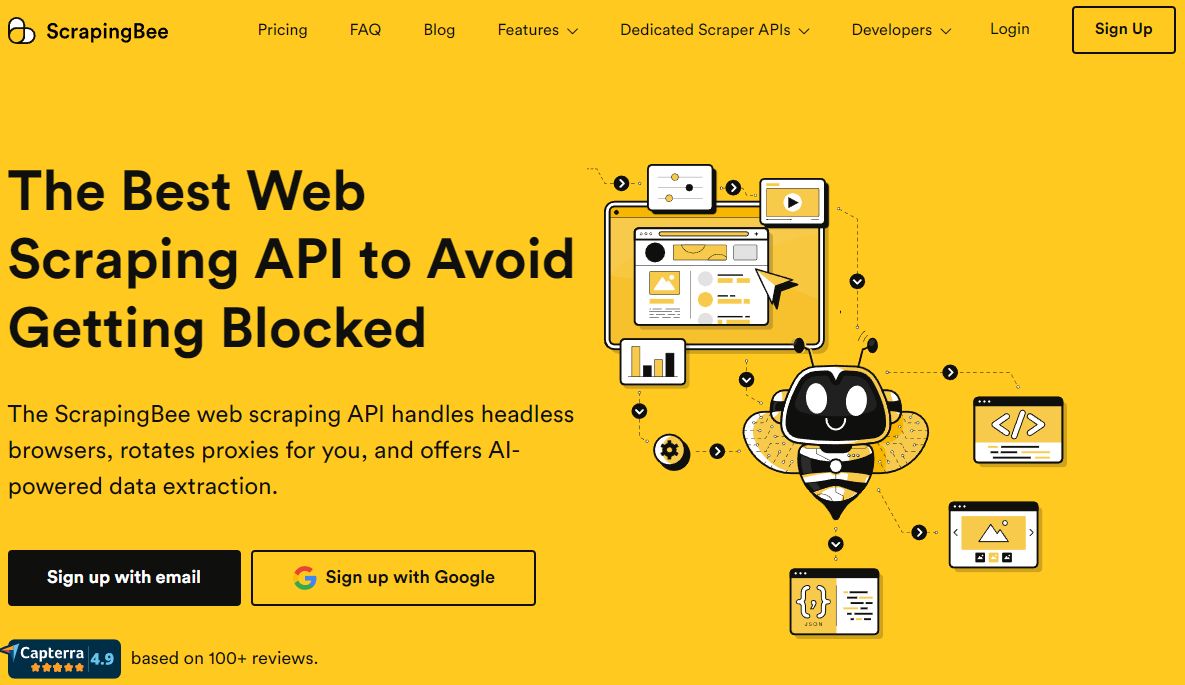
ScrapingBee positions itself as the web scraping API that handles proxies, headless browsers, and anti-bot defenses so developers can focus purely on extracting data. But does it deliver on that promise across different target sites, and where does it fit in a landscape crowded with alternatives? This review digs into ideal users, real-world performance data, pricing signals, setup friction, and the tool’s strengths and limitations—so you can decide if it matches your scraping workflow.
Who ScrapingBee Is Really For
ScrapingBee Review 2026: API Features, Pricing & Real Tests - Who ScrapingBee Is Really For.
ScrapingBee is built squarely for developers and engineering teams who need to scrape at scale without managing infrastructure. It is not a no-code scraper or a visual point-and-click tool. If you are comfortable sending HTTP requests and parsing JSON or HTML, you are the target user.
Ideal profiles include:
- Backend engineers building data pipelines for market intelligence, price monitoring, or lead generation.
- AI/LLM developers who need clean, rendered HTML or structured JSON to feed into models like GPT-4 or Claude. ScrapingBee’s AI extraction and integrations with ChatGPT, Claude, and Cursor make this workflow explicit.
- Growth and data teams that want a SOC 2 Type 2 compliant scraping layer without negotiating proxy contracts or maintaining headless browser fleets.
- Freelancers and indie makers who value the 1,000 free API credits (no credit card required) to prototype before committing.
If you are looking for a full cloud browser with raw CDP (Chrome DevTools Protocol) control, you may want to compare ScrapingBee against platforms like AdsCrawl. Our AdsCrawl vs ScrapingBee comparison breaks down when real browser sessions outperform a managed scraping API.
Core Capabilities That Define the Platform
ScrapingBee Review 2026: API Features, Pricing & Real Tests - Core Capabilities That Define the Platform.
Proxy Rotation and Anti-Detection
ScrapingBee automatically rotates IPs and manages request headers, cookies, and retries. You can choose between standard datacenter proxies and premium residential proxies. Geotargeting is available on paid plans, letting you specify a country for localized content. The platform does not expose raw proxy lists; it abstracts the entire transport layer behind a single API endpoint.
JavaScript Rendering with Headless Chrome
When a target site relies on React, Vue, or heavy client-side rendering, you can append render_js=true to your request. ScrapingBee spins up a headless Chrome instance, waits for the page to settle, and returns the final HTML. This is essential for infinite scroll pages, shadow DOM content, and single-page applications. The documentation includes specific tutorials for these scenarios.
AI-Powered Extraction Rules
Instead of writing fragile XPath or CSS selectors, you can define extraction rules in JSON or use natural language prompts. For example, you might ask: “Extract the product title, price, and review count.” ScrapingBee’s AI engine parses the page and returns structured JSON. This feature lowers maintenance when target sites change their markup.
Dedicated Scraping APIs
Beyond the generic HTML API, ScrapingBee offers pre-built endpoints for specific platforms like Google Search. These dedicated APIs return parsed results without custom parsing logic. They are useful when you need fresh SERP data without building and maintaining your own parser.
Setup and Developer Experience
ScrapingBee Review 2026: API Features, Pricing & Real Tests - Setup and Developer Experience.
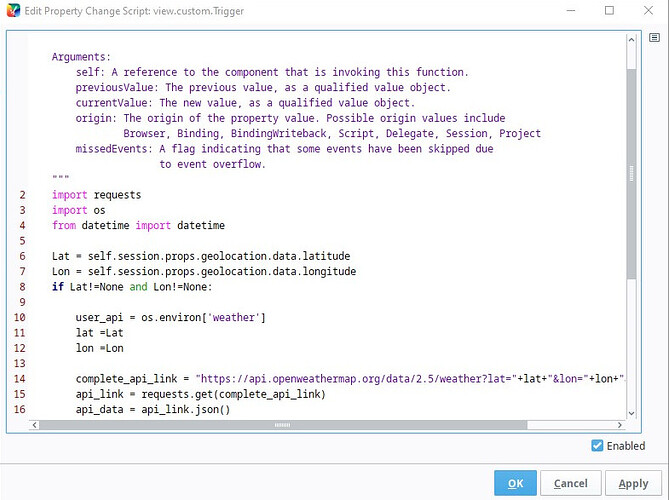
Getting started is intentionally low-friction. After signing up, you receive an API key. A basic request looks like this:
import requests

response = requests.get(
    'https://app.scrapingbee.com/api/v1/',
    params={
        'api_key': 'YOUR_API_KEY',
        'url': 'https://example.com',
        'render_js': 'true'
    }
)

print(response.text)
The API uses query parameters for all configuration—no SDK is required, though official clients exist for Python, Node.js, and other languages. The documentation is clear and includes copy-paste code snippets for common tasks like extracting cURL commands from browsers or handling e-commerce shopping carts.
One friction point noted in user reviews: new accounts are limited to 1,000 free credits. While this is enough for a meaningful trial, it can feel tight if you want to test high-volume scenarios before paying. On the plus side, no credit card is required upfront.
Pricing Signals and Plan Structure
ScrapingBee uses a credit-based pricing model. Each API call consumes one or more credits depending on features used:
- A basic HTML request costs 1 credit.
- JavaScript rendering costs 5 credits.
- Premium proxies, screenshots, and Google Search API calls consume additional credits.
Paid plans start at $49/month and scale up based on credit volume and concurrency. Higher tiers unlock team management, a dedicated account manager, and priority support. The pricing page is transparent, and you can cancel anytime.
When evaluating cost, remember that a single “scrape” may require multiple credits if you enable JS rendering and premium proxies. Independent tests (see below) show that ScrapingBee’s effective cost per 1,000 requests sits around $0.0748 on the Business+ plan—competitive but not the cheapest in the market.
Independent Performance Tests: Strengths and Gaps
A third-party benchmark by Scrapingdog tested ScrapingBee, ScraperAPI, and Scrapingdog across Amazon, Glassdoor, eBay, Walmart, and Google. The results reveal a mixed picture.
Where ScrapingBee Excels
- Amazon: 100% success rate with an average response time of 4.96 seconds. Fast and reliable for product page scraping.
- eBay: 100% success rate at 8.98 seconds. Solid performance on a notoriously dynamic marketplace.
Where ScrapingBee Struggles
- Glassdoor: 0% success rate. The API failed to return usable data across all tested URLs, despite a moderate 4.99-second average response time. This suggests aggressive anti-bot defenses that ScrapingBee’s proxy and browser stack could not circumvent in that test.
- Walmart: 40% success rate at 7.35 seconds. Inconsistent results make it risky for production pipelines targeting Walmart.
- Google: 90% success rate at 16.28 seconds. While 90% is workable, the response time is significantly slower than competitors like Scrapingdog (1.25 seconds, 100% success).
What This Means for You
ScrapingBee performs well on e-commerce giants like Amazon and eBay but shows inconsistency on more aggressively protected or complex sites. If your scraping targets are diverse and include job boards, retailer pages with strict anti-bot measures, or SERPs where speed matters, you should run your own tests against your specific URLs before committing. The free credits make this feasible.
For a broader comparison of how ScrapingBee stacks up against other browser-based approaches, see our AdsCrawl vs ScrapingBee vs Playwright breakdown.
What Users Say: The Good and the Occasional Glitch
Aggregated user reviews from SoftwareAdvice paint a largely positive picture, with an overall rating of 4.9 out of 5 across 137 reviews. Here are the recurring themes:
Praises:
- “Consistently reliable” for outbound sales automation and signal extraction.
- “Great support that will help you almost immediately.”
- “Robust API that simplifies the web scraping process significantly, especially when dealing with complex, JavaScript-heavy websites.”
Criticisms:
- The free tier is limited, making deep evaluation harder without a paid plan.
- One user reported a brief issue where proxies were assigned from the wrong country, rendering HTML in an unexpected language. The problem was resolved quickly.
Ease-of-use and customer support both score 4.9, while value for money sits slightly lower at 4.7—likely reflecting the credit multiplier for premium features.
How ScrapingBee Compares to Alternatives
ScrapingBee vs Scrapingdog
Independent tests give Scrapingdog the edge in both speed and consistency across the tested domains. Scrapingdog maintained 100% success on all sites, including Glassdoor and Walmart, with faster response times. Pricing is also lower at scale. However, ScrapingBee’s AI extraction rules and dedicated APIs may appeal to teams that prioritize developer experience over raw speed on every domain.
ScrapingBee vs ScraperAPI
ScraperAPI achieved 100% success on most sites but with significantly higher latency (40+ seconds on Amazon). ScrapingBee is faster where it works, but ScraperAPI’s broader coverage may suit use cases where speed is not critical.
ScrapingBee vs Cloud Browsers
If you need full browser control—manipulating the DOM, intercepting network requests, or running custom JavaScript before extraction—ScrapingBee’s abstraction layer may feel restrictive. A cloud browser API like AdsCrawl gives you raw CDP access and persistent browser sessions. Our AdsCrawl vs Browserless comparison explores when that level of control matters.
Decision Criteria: Is ScrapingBee Right for You?
Choose ScrapingBee if:
- You scrape mainly e-commerce sites like Amazon and eBay and need a reliable, low-maintenance API.
- You want AI-powered extraction to reduce parser maintenance.
- You value SOC 2 compliance and a managed infrastructure for team workflows.
- You prefer a simple, credit-based pricing model with no long-term lock-in.
Look elsewhere if:
- Your target list includes sites like Glassdoor or Walmart where ScrapingBee’s success rates are inconsistent.
- You need the absolute lowest cost per request at high volume.
- You require raw browser control for complex interactions beyond what a scraping API offers.
Related reading
- Scrapfly API Setup: Web Scraping, Cloud Browser & Screenshots - Learn to set up Scrapfly's web scraping, cloud browser, and screenshot APIs. Step-by-step configuration, code examples, and a comparison with AdsCrawl's real browser infrastructure.
- AdsCrawl vs Selenium: Cloud API vs Framework in 2026 - Compare AdsCrawl's cloud browser API with Selenium's automation framework. See which fits AI agents, scraping, and testing with less maintenance.
Sources and further reading
- ScrapingBee – The Best Web Scraping API - ScrapingBee is the best web scraping API that handles proxies and headless browsers for you — so you can focus on extracting the data you need.
- ScrapingBee Reviews, Pros and Cons - Reviews of ScrapingBee. Learn how real users rate this software's ease-of-use, functionality, overall quality and customer support. Talk to our advisors to see if ScrapingBee is a good fit for you!
- Scrapingbee vs ScraperAPI vs Scrapingdog: Which One Is Better For Your Web Scraping Needs - In this comparison article, we have compared the giants in Web Scraping industry. We have tested them, and also shared our results .
Frequently Asked Questions
What is a web scraping API credit?
A credit is a unit of usage. A basic HTML request consumes 1 credit. JavaScript rendering uses 5 credits. Premium proxies and dedicated APIs consume additional credits per call.
Does ScrapingBee offer a free trial?
Yes. New accounts receive 1,000 free API credits with no credit card required. This lets you test core features before subscribing.
Can ScrapingBee render JavaScript?
Yes. Set render_js=true in your request parameters. ScrapingBee uses headless Chrome to execute JavaScript and returns the rendered HTML.
Is ScrapingBee suitable for non-developers?
No. ScrapingBee is an API designed for developers. There is no visual builder or no-code interface. If you need a no-code alternative, tools like axiom.ai may be a better fit.
How does ScrapingBee handle blocked requests?
The platform automatically retries failed requests with different proxies and adjusts headers. If a request ultimately fails, you are not charged credits.
What happens if I run out of credits mid-cycle?
You can purchase additional credits or upgrade your plan. The API will return an error if you exceed your credit limit before renewal.
Final Verdict
ScrapingBee delivers on its core promise: it abstracts away proxy management, browser rendering, and anti-bot headaches behind a clean, well-documented API. For teams scraping Amazon, eBay, and similar e-commerce targets, it is a strong, compliant, and developer-friendly choice. The AI extraction feature is genuinely useful for reducing parser fragility.
However, independent tests reveal meaningful gaps on sites like Glassdoor and Walmart, and response times on Google SERPs lag behind faster competitors. If your scraping needs are broad or demand the lowest latency, you should validate performance on your specific targets during the free trial period. ScrapingBee is a specialized tool that shines in its comfort zone—just make sure your targets fall within it.