
Top 10 AI Web Scraping and Monitoring Platforms 2026
Independent 2026 ranking of the top 10 AI web scraping and monitoring platforms, with evidence-based criteria, pricing signals, and decision guidance.
Top 10 AI Web Scraping and Monitoring Platforms 2026
AI has changed what a web scraper can do, but it has not made every scraper equally reliable. The strongest 2026 platforms combine smart extraction with dependable page access, scheduling, validation, and delivery. This ranking focuses on products that genuinely belong to the AI web scraping and monitoring category, evaluated on transparent criteria and real product evidence.
How We Evaluated These Platforms
We scored each product across eight criteria that matter in production, not just in demos:
- Extraction intelligence: Does AI infer fields, schemas, or page types, and can users review and correct the result?
- Monitoring and scheduling: Can runs repeat on a schedule, detect changes, and alert or deliver data automatically?
- Page access and rendering: Does the platform handle JavaScript-heavy pages, SPAs, proxies, and anti-bot friction?
- Control and repeatability: Are outputs typed, stable, and inspectable across runs?
- Operations: Are retries, logs, webhooks, and integrations available at the level teams need?
- Deployment and privacy: Can teams self-host, choose models, or control data retention?
- Cost per usable record: What do credits, rendering, proxies, and failed records cost together?
- Evidence quality: Published pricing, documentation, and independent comparisons rather than marketing claims alone.
Pricing and allowances change frequently. Treat every figure below as a snapshot and verify current plans on vendor pages before committing.
The Top 10 AI Web Scraping and Monitoring Platforms in 2026
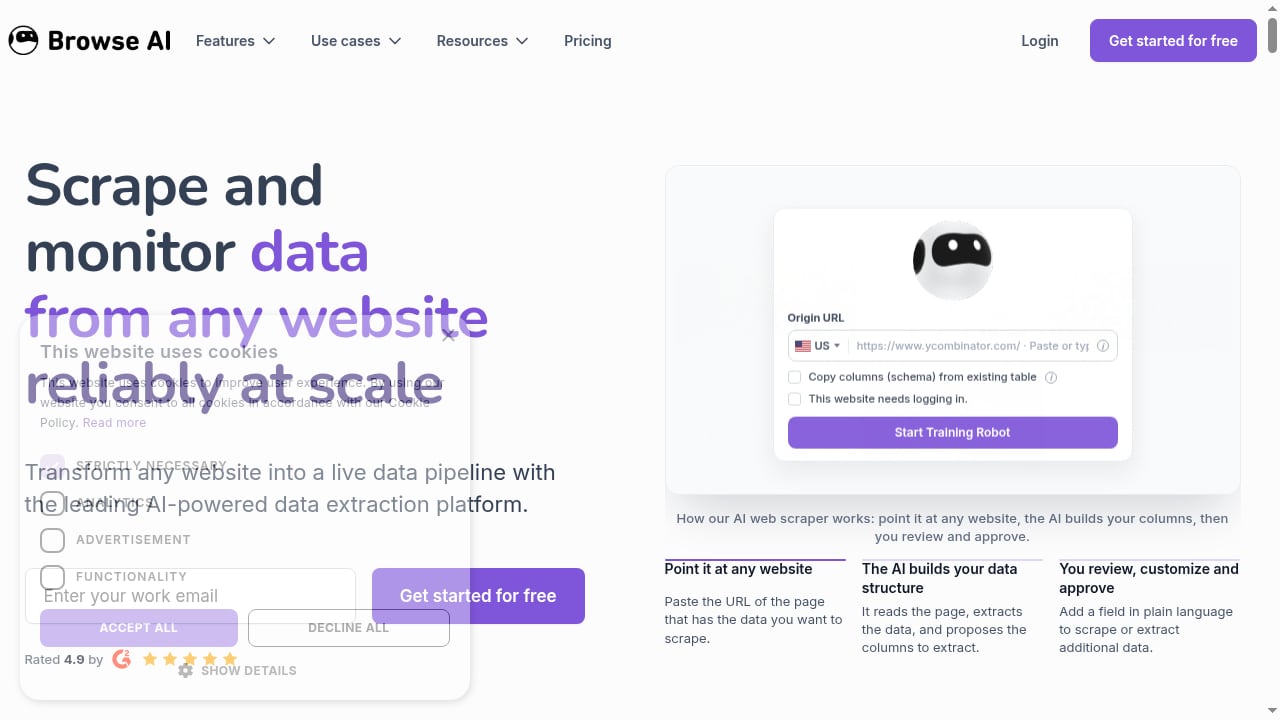
First viewport screenshot of www.browse.ai.
1. Browse AI — Best Overall for No-Code Monitoring
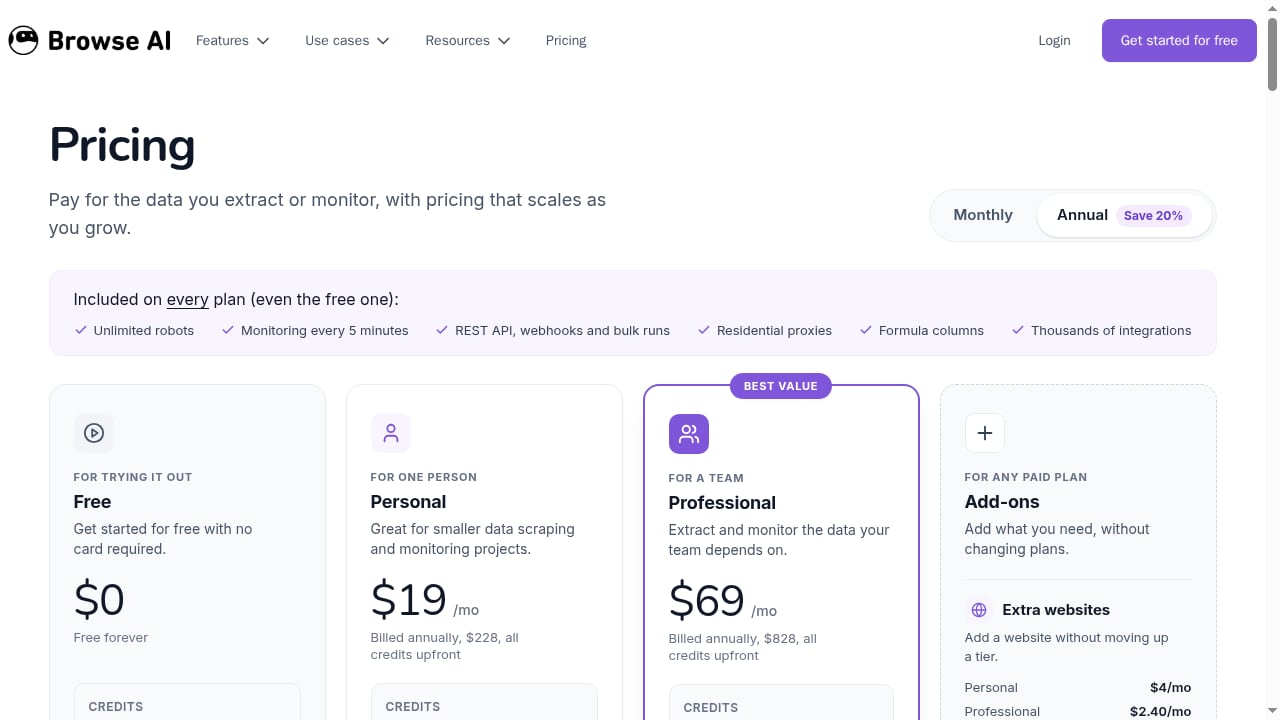
Browse AI turns a URL into a live data pipeline. Users point the tool at a page, and the AI proposes data columns that can be reviewed, customized, and approved in plain language. Scheduled monitoring can run as often as every five minutes, with REST API and webhook delivery, bulk runs, residential proxies, formula columns, and thousands of integrations.
Evidence: A free plan with 50 credits per month, paid plans starting at $19/month billed annually, and a 4.9 rating highlighted on the site. Managed services such as Browse AI Premium deliver custom datasets with validation and deduplication.
Best for: Non-technical teams that need recurring price monitoring, product data extraction, lead generation, or news aggregation without writing code.
Trade-off: Less explicit selector control than visual builders, which can matter on unusual edge cases.
2. Firecrawl — Best for LLM and RAG Pipelines
Firecrawl provides a single API for search, scrape, crawl, map, parse, and interact, returning token-efficient Markdown or structured JSON. It handles JavaScript-heavy pages and SPAs and exposes separate endpoints for single pages, full sites, documents, and multi-step browser actions.
Evidence: A free tier with 1,000 monthly credits, a Hobby plan from $16/month billed annually, and a keyless rate-limited trial. JSON extraction consumes more credits than basic page scrapes, so cost scales with extraction mode.
Best for: Developers building agents, RAG pipelines, and AI ingestion workflows that need clean, LLM-ready output.
Trade-off: Rich extraction modes add cost and latency, and the API-first design is not a visual builder for non-technical users.
3. ScrapeGraphAI — Best for Prompt-and-Schema Extraction
ScrapeGraphAI maps natural-language prompts and JSON schemas to structured data through SmartScraper, SearchScraper, SmartCrawler, and Markdownify. It is available as an open-source library and a premium API.
Evidence: An MIT-licensed open-source option, a free API tier with 500 one-time credits, and a Starter plan at $20/month for 10,000 credits.
Best for: Teams that want flexible, prompt-driven extraction across varied page structures.
Trade-off: Runtime inference adds cost and validation requirements, and output quality depends on model, prompt, and input page.
4. Apify — Best for a Scraper Marketplace and Automation Ecosystem
Apify combines ready-made Actors with a platform for multi-step automation. Its AI Web Scraper supports natural-language extraction and agentic crawl modes within a configurable cloud environment.
Evidence: $5 of monthly platform usage on the free tier and AI Web Scraper pricing from $20 per 1,000 page extractions. Total cost can include Actor, compute, storage, and proxy usage.
Best for: Teams that want prebuilt scrapers plus a broader automation platform.
Trade-off: Several usage meters can make cost estimates harder to predict.
5. Bright Data Scraper Studio — Best for Enterprise Access and Maintenance
Bright Data Scraper Studio generates editable scraper code and assists with repairs, backed by enterprise-grade proxy and access infrastructure.
Evidence: 5,000 monthly page loads on the free tier and pricing from $1.50 per 1,000 successful page loads.
Best for: Enterprises that need broad access infrastructure, collectors, proxies, and datasets in one vendor.
Trade-off: The product surface is large and can be excessive for small jobs.
6. Kadoa — Best for Governed, Self-Maintaining Pipelines
Kadoa generates, monitors, and repairs deterministic pipelines, positioning itself for long-lived data operations rather than one-off extraction.
Evidence: A free evaluation and a consumption-based Flex plan or custom agreement. It is most strongly positioned for finance and enterprise teams.
Best for: Organizations that need governed, self-healing data feeds with normalization and monitoring.
Trade-off: Enterprise-oriented onboarding and pricing can be heavy for small teams.
7. Octoparse — Best for Detailed Visual Workflows
Octoparse offers a desktop and cloud workflow builder with AI-assisted page detection and editable workflows for list and detail-page extraction.
Evidence: A free local plan and a Standard plan from $69/month billed annually, with task, row, cloud execution, and concurrency limits.
Best for: Users who want a visual builder with more explicit control over multi-step workflows.
Trade-off: The interface can feel heavy for simple monitoring jobs.
8. Thunderbit — Best for Quick Browser-to-Spreadsheet Extraction
Thunderbit is an agentic web scraper that suggests fields and structures page data for fast spreadsheet extraction, with a separate API for programmatic use.
Evidence: A small free page allowance, extension plans from $15/month, and a separate API from $16/month annually. Extension rows use credits, while API Distill uses 1 unit per page and Extract uses 20.
Best for: Non-technical teams that need quick, one-click extraction into spreadsheets.
Trade-off: Better suited to quick tasks than deeply modeled crawls. For a closer look, see our Thunderbit review.
9. Crawl4AI — Best Open-Source, Self-Hosted Option
Crawl4AI is an open-source Python library that produces LLM-ready content and supports LLM extraction with full control over deployment.
Evidence: No software subscription; costs come from infrastructure, proxies, model calls, and engineering time.
Best for: Developers who want to self-host, choose their models, and keep sensitive content inside their environment.
Trade-off: The user owns deployment, browsers, proxies, retries, and reliability.
10. Zyte — Best for Managed Access with Typed Automatic Extraction
Zyte combines managed access with a unified extraction API that returns structured JSON, HTML, or screenshots, with automatic schemas for supported content types such as products, articles, and job postings.
Evidence: Automatic schemas are strongest for documented content types, and the platform is positioned around managed access plus typed extraction.
Best for: Teams that want managed fetching and predictable schemas for common page types.
Trade-off: Automatic schemas are less open-ended than free-form prompt extraction.
Comparison Table
First viewport screenshot of www.browse.ai.
| Platform | Best for | AI approach | Primary output | Main trade-off |
|---|---|---|---|---|
| Browse AI | No-code monitoring | Learned extraction from examples | Tables, CSV, JSON, Sheets, webhooks | Less control over unusual edge cases |
| Firecrawl | LLM and RAG pipelines | Prompt, schema, and API parameters | Markdown, JSON, HTML, screenshots | Rich modes add cost and latency |
| ScrapeGraphAI | Prompt-and-schema extraction | Runtime LLM extraction | JSON, Markdown, text | Quality depends on model and prompt |
| Apify | Marketplace and automation | Natural-language and agentic modes | JSON, CSV, Excel, Markdown | Multiple usage meters |
| Bright Data Scraper Studio | Enterprise access | Generated, editable scraper code | JSON, CSV, Markdown, datasets | Broad product surface |
| Kadoa | Governed pipelines | Agent-generated deterministic pipelines | Normalized, monitored feeds | Enterprise-oriented onboarding |
| Octoparse | Visual workflows | AI-assisted workflow drafting | CSV, Excel, JSON, databases | Heavy interface for simple jobs |
| Thunderbit | Quick spreadsheet extraction | Suggested fields and columns | Spreadsheet rows, API output | Better for quick tasks than deep crawls |
| Crawl4AI | Self-hosted crawling | LLM-ready content and extraction | Markdown, JSON, HTML | You operate the stack |
| Zyte | Managed access and typed extraction | Trained extraction models | Structured JSON, HTML, screenshots | Strongest for supported content types |
How to Choose the Right Platform
First viewport screenshot of www.browse.ai.
Start with the job, not the feature list:
- Non-technical monitoring: Browse AI or Thunderbit for fast setup; Octoparse if you need explicit workflow control.
- AI and agent pipelines: Firecrawl for LLM-ready output, ScrapeGraphAI for prompt-driven extraction, Crawl4AI for self-hosting.
- Enterprise operations: Bright Data or Kadoa for access infrastructure and governed pipelines.
- Marketplace and automation: Apify for prebuilt Actors and multi-step workflows.
A useful test plan: run the same 20 to 50 representative URLs through two or three candidates, then compare time to first correct record, field accuracy, latency, failure rate, and cost per usable record. A polished demo cannot replace a proof of concept on your own targets.
When Browser Automation Complements a Scraping Platform
First viewport screenshot of www.browse.ai.
Some workflows hit a wall that extraction intelligence cannot solve: authenticated sessions, JavaScript-heavy pages, or geo-specific content behind anti-bot protections. In those cases, teams often pair a monitoring platform with a browser automation API. AdsCrawl is one example of that adjacent layer, offering synchronous endpoints for screenshots, rendered HTML, Markdown, and SPA extraction, plus stateful remote Chromium sessions for Playwright, Puppeteer, or raw CDP clients. It is not part of this ranking, but it can complement a platform like Browse AI when a job needs a real browser environment. See our AdsCrawl vs WebScrapingAPI comparison for a closer look at browser control and proxies.
Related reading
- How to Use AdsCrawl with Proxidize: Managed Proxies Guide - Learn how to combine AdsCrawl's browser automation API with Proxidize's managed mobile and residential proxies for reliable scraping and data extraction.
- Thunderbit Review: Agentic Web Scraper for Non-Technical Teams - An evidence-based review of Thunderbit's one-click AI web scraper: ideal users, use cases, strengths, limits, pricing signals, setup, and decision criteria.
Sources and further reading
- 10 best AI web scraping tools in 2026 | Web Scraper - Compare 10 AI web scraping tools for no-code extraction, monitoring, APIs, RAG pipelines and self-hosting, including pricing and trade-offs
- 10 Best AI Web Scraping Tools for 2026 - No single AI scraper wins every workload. Compare 10 tools by extraction method, user type, operations, and cost, then use a practical test plan to choose the right fit.
- 13 Best Web Scraping Tools in 2026 - The best web scraping tools across AI, no-code, Python, browser automation, and cloud browser platforms — Firecrawl, ScrapeGraphAI, Crawl4AI, Octoparse, Beautiful Soup, Scrapy, Selenium, Playwright, Puppeteer, Apify, Browserless, Hyperbrowser, and more, compared honestly.
FAQ
What is the difference between AI web scraping and AI web monitoring?
Scraping extracts data from pages, often on demand. Monitoring repeats extraction on a schedule, detects changes, and delivers alerts or updated datasets. Many 2026 platforms do both.
Is AI web scraping more reliable than selector-based scraping?
Not automatically. AI can reduce selector maintenance and handle varied layouts, but page access, rendering, validation, and cost still determine reliability. Test on your own targets.
Which platform is best for non-technical users?
Browse AI is the strongest starting point for no-code monitoring, with Thunderbit convenient for quick spreadsheet extraction and Octoparse for detailed visual workflows.
Which platform is best for developers building RAG pipelines?
Firecrawl is well aligned with LLM and agent applications, while ScrapeGraphAI offers prompt-and-schema flexibility and Crawl4AI provides a self-hosted open-source option.
How should I compare pricing across platforms?
Compare cost per usable record, not headline plan prices. Credits, rendering, proxies, retries, and failed records all affect the real cost. For a broader view of tooling options, see our top 10 web scraping browser extensions.
Conclusion
There is no single winner in the 2026 AI web scraping and monitoring market. Browse AI leads for no-code monitoring, Firecrawl for LLM-ready pipelines, and ScrapeGraphAI for prompt-driven extraction. Enterprise teams should weigh Bright Data and Kadoa, while Apify, Octoparse, Thunderbit, Crawl4AI, and Zyte each fit specific operational needs. Choose by testing extraction accuracy, page access, maintenance, and cost per usable record on your own websites.
For related comparisons, see our AdsCrawl vs Context.dev vs Reliable Screenshot API guide.