
HeadlessBrowserAPI Review: Rendering, Proxies, and Fit
Take a Quick Look
An evidence-based HeadlessBrowserAPI review covering JavaScript rendering, anti-bot handling, screenshots, Tor access, pricing signals, and who it suits.
HeadlessBrowserAPI Review: Rendering, Proxies, and Fit
If you have ever pointed a plain HTTP request at a modern web app and received an empty shell of HTML, you already understand the problem HeadlessBrowserAPI is selling a fix for. This review looks at what the service actually does, where it fits, where it falls short, and how to decide whether it belongs in your stack.
The short version: HeadlessBrowserAPI is a request-and-response scraping API built on headless browsers. You send a URL, it renders the page with JavaScript, works around common bot defenses, routes through rotating proxies, and returns the full HTML, a screenshot, or a PDF. It is aimed at developers who want rendered output without operating a browser fleet.
What HeadlessBrowserAPI actually does
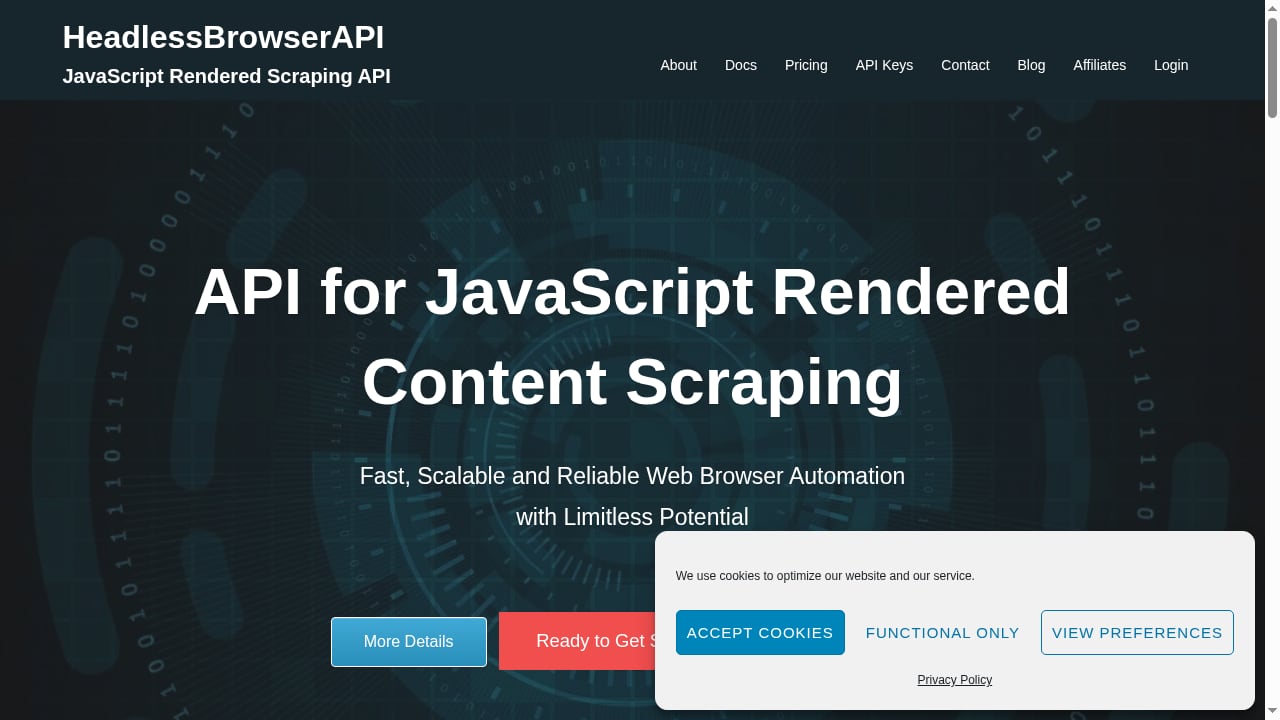
First viewport screenshot of headlessbrowserapi.com.
Most scraping APIs sit in one of two camps. Some are remote browsers: you connect Puppeteer or Playwright over a WebSocket or CDP endpoint and drive the page yourself. Others are content APIs: you send a URL and get back rendered HTML, Markdown, or structured data, with the browser hidden behind the endpoint.
HeadlessBrowserAPI is the second kind. Its core call returns the fully rendered HTML of a page after JavaScript has executed. Around that core sit a few adjacent capabilities:
- Full-page screenshots in JPG or PDF format, useful for visual QA, archiving, and monitoring.
- Image scraping across common formats including jpg, jpeg, png, gif, bmp, jpe, and webp.
- Anti-bot handling and rotating proxies enabled by default, so requests are less likely to be blocked.
- A Tor API node for reaching .onion sites, which is unusual in this category.
- Custom proxies through a
proxy_urlparameter, for teams that already run their own proxy pool. - Compatibility with Puppeteer, Tor, and PhantomJS workflows, so existing scripts can be adapted rather than rewritten.
That combination matters because the hard part of scraping dynamic sites is rarely the HTTP call. It is the rendering, the fingerprint, the proxy rotation, and the retries when a page decides you are a robot. A managed API absorbs that work.
Who should consider it

Recommend HeadlessBrowserAPI & Earn Recurring Passive Income!.
HeadlessBrowserAPI is not a universal fit. It is strongest for a few specific profiles.
Developers scraping JavaScript-heavy sites
If your targets are React, Vue, or Angular front ends where the data arrives after the first paint, a raw HTTP client will not see it. A rendering API closes that gap without you installing Chromium, managing memory, or patching browser binaries. For a broader look at this pattern, see our web app developer guide to cloud browser scraping.
Teams that want output, not a browser session
If your job is "give me the HTML for these 5,000 URLs," a content API is simpler than a remote browser. You skip session management, connection pooling, and cleanup. The trade-off is control: you cannot script a multi-step click-and-type flow through a simple render endpoint the way you can with a CDP session.
Projects that need screenshots or PDFs at scale
Screenshot and PDF generation is a common secondary need for monitoring, reporting, and compliance archiving. Getting it from the same API you already use for scraping reduces vendor sprawl.
Researchers working with .onion sites
Tor access is a niche differentiator. Most mainstream scraping APIs do not offer it. If your work involves dark web research, brand protection, or threat intelligence, that single feature can decide the vendor.
Who should look elsewhere
If you need full interactive browser control, multi-step authenticated flows, or an agent loop that decides what to click next, a remote browser with CDP access is a better fit. Our comparison of cloud browser API alternatives for scraping covers that side of the market.
Strengths, with caveats
Rendering is the point, and it is handled. The service exists to run JavaScript and return the resulting DOM. That is table stakes in 2026, but it is still the feature most teams are buying.
Defaults reduce setup friction. Anti-bot handling and rotating proxies are on by default rather than sold as add-ons. For teams without proxy infrastructure, that removes a meaningful chunk of work.
Custom proxies are supported. The proxy_url parameter lets you bring your own pool, which matters for teams with existing proxy contracts or geo requirements. If you are weighing proxy providers, our walkthrough on using AdsCrawl with DataImpulse proxies shows how that integration pattern works in practice.
Tor access is genuinely differentiated. Very few competitors in the content-API tier offer .onion scraping. Treat this as a specialist feature, not a headline one.
Caveat: no stealth system is complete. Every vendor in this space will eventually meet a site that blocks it. Rotating proxies and fingerprint handling close part of the gap, not all of it. Budget for monitoring and fallback logic rather than assuming a 100% pass rate.
Caveat: request-based APIs are not browsers. If your workflow needs to log in, navigate a multi-step checkout, or wait on complex client-side state, a simple render call will feel constrained. Check whether the API exposes interaction steps before you commit.
Limitations to weigh before buying
- Less control than a remote browser. You get rendered output, not a live session you can drive. Teams migrating from self-hosted Puppeteer often miss that control.
- Pricing is subscription-first. Monthly plans in the $15 to $75 range with daily and monthly request quotas suit predictable workloads. Spiky or exploratory usage may fit pay-as-you-go models better.
- Per-request cost falls with tier, so forecast matters. The effective price per request depends on which plan you land on and how close you run to your quota. Model your real volume before choosing a tier.
- Tor is a specialist path. Expect different latency and reliability characteristics than standard HTTP targets.
- Vendor lock-in risk is low but real. Because the API is request-based, moving to another provider means changing your client code, not your whole architecture. That is a point in its favor.
Pricing signals
What Is Website Scraping?.
HeadlessBrowserAPI uses subscription pricing with monthly plans spanning roughly $15 to $75. Each tier bundles daily and monthly request quotas, and the per-request price decreases as you move up. That structure rewards predictable volume and penalizes overage.
For context, hosted browser infrastructure in 2026 generally runs from about $0.02 to roughly $0.24 per browser-hour, with proxy bandwidth often billed separately, according to a layered comparison of headless browser options. Request-based APIs are priced differently, per call rather than per hour, so the two models are not directly comparable. The practical question is simpler: what does one successful rendered page cost you, including retries on blocked requests?
Run that number against your monthly volume. If you are scraping a few thousand pages a month, the entry tier is likely enough. If you are in the hundreds of thousands, the top tier's lower per-request rate matters more than the sticker price.
Setup and integration
Setup is intentionally light. The workflow is typically:
- Get an API key from your account dashboard.
- Send a request with the target URL. The service renders the page and returns the HTML.
- Add parameters as needed, such as screenshot or PDF output, image extraction, or a
proxy_urlfor your own proxy. - Handle responses and retries in your client code, with backoff for failures.
- Monitor block rates on your key targets and adjust proxy or rendering settings accordingly.
Because the service is compatible with Puppeteer-style workflows, teams with existing scripts can often adapt their request logic rather than rebuild. Keep your API key in an environment variable, and wrap calls in retry logic with exponential backoff. A single blocked request should not fail a batch job.
If you are comparing integration effort across vendors, our 2026 ranking of browser automation API products breaks down how the major options differ on sessions, proxies, and pricing.
How it compares to the alternatives
First viewport screenshot of headlessbrowserapi.com.
The market splits into four layers: the browser engine, the driver, the hosting platform, and optional agent frameworks. HeadlessBrowserAPI sits in the hosting-and-content layer, abstracting the first three.
| Need | HeadlessBrowserAPI fit | Better-fit alternative |
|---|---|---|
| Rendered HTML from dynamic pages | Strong | Request-based scraping APIs generally |
| Full interactive browser control | Weak | Remote browsers with CDP or WebSocket access |
| Screenshots and PDFs at scale | Strong | Dedicated screenshot APIs |
| .onion site access | Strong, rare | Tor-specific tooling |
| Bring-your-own proxy pool | Supported via proxy_url |
Platforms with native proxy integrations |
| AI agent page interaction | Limited | Agent-oriented browser platforms |
For a wider view of the category, Browserless' comparison of headless browsers for scraping frames the core fork well: run the browser yourself, or pay someone to run it. HeadlessBrowserAPI is firmly in the second camp. A developer comparison of browser automation APIs for AI agents makes a related point: the differentiator is not the feature checklist but whether the task actually finishes on the sites you care about.
Decision criteria
Use these questions to decide quickly:
- Do your targets require JavaScript rendering? If yes, a rendering API earns its place. If your targets are server-rendered, a plain HTTP client is cheaper.
- Do you need to drive the page interactively? If yes, choose a remote browser instead.
- Do you need .onion access? If yes, HeadlessBrowserAPI is one of very few content APIs that offers it.
- Is your volume predictable? Subscription quotas favor steady workloads. Spiky usage favors pay-as-you-go.
- Do you already run proxies? If so, the
proxy_urloption lets you keep them. If not, the built-in rotation saves setup time. - What is your tolerance for blocked requests? Test against your real targets before committing to a tier.
Related reading
- How to Use AdsCrawl with Nimble for Agent Web Search - Connect AdsCrawl's cloud Chromium browsers with Nimble's search agents to give AI agents reliable, structured live web data. Setup, workflow, and examples.
FAQ
Is HeadlessBrowserAPI a remote browser or a scraping API?
It is a request-and-response scraping API built on headless browsers. You send a URL and receive rendered output. It is not a CDP session you connect to and drive step by step.
Does it handle JavaScript-rendered pages?
Yes. JavaScript rendering is the core function. It returns the HTML after the page's scripts have executed, which is what makes it useful for dynamic sites.
Can I use my own proxies?
Yes. The proxy_url parameter lets you route requests through a proxy you control, alongside the built-in rotating proxies.
Does it support dark web scraping?
Yes. A Tor API node allows access to .onion sites, which is uncommon among mainstream scraping APIs.
How much does it cost?
Plans are subscription-based, ranging from roughly $15 to $75 per month, with daily and monthly request quotas. The per-request price drops at higher tiers.
What formats can it return?
Rendered HTML, full-size screenshots in JPG or PDF, and scraped images in common formats such as jpg, png, gif, bmp, and webp.
Is it compatible with Puppeteer?
Yes. The service supports Puppeteer, Tor, and PhantomJS integrations, so existing scripts can often be adapted.
Conclusion
HeadlessBrowserAPI is a focused tool that does a specific job well: render JavaScript-heavy pages, get past common bot defenses, and return usable output without you running browsers yourself. Its strengths are its defaults, its screenshot and image capabilities, and its rare Tor support. Its limits are the ones inherent to request-based APIs: less control than a live browser session, and subscription pricing that rewards predictable volume.
If your workload is "fetch and render many URLs reliably," it is worth a trial run against your hardest targets. If your workload is "drive a browser through a complex flow," look at remote browser platforms instead. Test first, measure your block rate, and let the numbers pick the tier.
For a broader shortlist, see our ranking of cloud browser automation platforms for AI agents.